Internet Secrets to Affiliate Marketing Business

Latest Information and News About Internet Marketing

  • Home
  • Features
  • Summary
  • Get GrooveFunnels Free Now
  • Facebook
  • Twitter
  • YouTube
  • Instagram
  • Pinterest
  • LinkedIn

Best Free Website Builders

By Peter

Disclosure: This content is reader-supported, which means if you click on some of our links that we may earn a commission.

Looking to create a professional website without buying a new service? 

There are a few good free website builders out there. I'm talking about tools that don't require any coding or design knowledge to get started.

They are perfect for individuals and small businesses that need to establish a solid online reputation. You'll get a sleek site that's easy to navigate without having to spend a dime of web design.

These are not teasers or trials. Build a site. Keep it for as long as you like.

In this guide, I’ll walk you through the best free website builders on the market today. After reviews of the top products, you'll find a short buyers guide to help you find the best fit for your brand and goals.

#1 – Wix Review — The Best For Ecommerce Sites

If you’re looking for one of the best free website builder that does everything a real-life store manager would do and then some, Wix makes that a reality.  

The thought of building an online store can be paralyzing. But once you create a Wix ecommerce site, you have access to perks like real-time tax calculations and adding several payment channels that you wouldn’t have with a builder geared toward content or portfolios. 

As a product seller, Wix helps you create beautifully designed storefronts with a selection of over 800 pre-built themes and templates ready to personalize at the click of a mouse. 

There’s no doubt ecommerce businesses are in good hands with Wix. It is a builder that goes out of its way to advertise themselves as such, instead of being a jack-of-all-trades.

Still, as with every site builder, there can be some drawbacks. For example, if you ever want to move your site to another provider, you can’t do that with Wix’s builder because of how it’s configured. You’ll have to completely recreate it on a new platform.

Some of their ecommerce features designed to drive sales are:

  • Sales and customer behavior analytics
  • Displaying prices in international currencies
  • Easily creating subscriptions and discount coupons for customers
  • Integration with all social channels for greater visibility
  • Automated email marketing and abandoned cart recovery

To get started with Wix, visit their site and sign up.

#2 – Weebly Review — The Best For General Sites
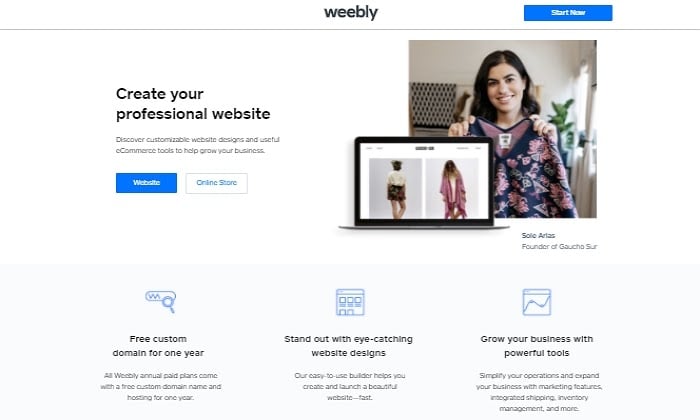
Let’s face it. You might not need a free site builder with all the bells and whistles. And that’s okay. That’s why Weebly exists. It’s the best site builder for general sites that need to do their job well.

It’s perfect for information businesses, non-profits, small portfolios, mission statements, or landing pages. This is because they make it easy to bring your site together with a no-nonsense dashboard and with options like built-in image editors and professional design options that let you create video backgrounds.

As a general site, you don’t want to deal with the technical stuff like SSL certification, encryption, and often costly third-party domain shopping. Weebly integrates takes care of all that for you right on their platform. 

One of their best features as a site builder is that you have the option to fully customize their HTML and CSS if you choose to do so. While it might not be something you need right away, it’s nice to know you have that capability as a future option.

Weebly is built for site design with a more structured approach. If you’re looking for a builder with a bit more design flexibility and freedom, this might be a downside. 

Their best site builder features include:

  • Easy-to-use dashboard
  • Drag-and-drop site builder
  • Additional integrations like payments and product search with upgrade
  • Integrated analytics that kills the need for additional plugin installation
  • Mobile app to manage your site from your phone 

You can sign up with Weebly here.

#3 – WordPress Review — The Best For Blogging And Content Creation
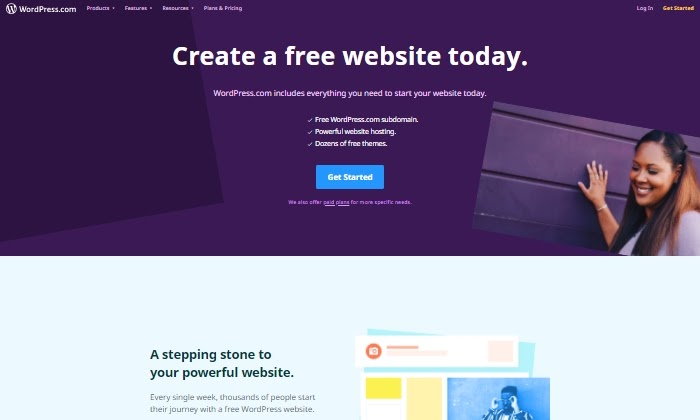
If I had to introduce WordPress to you, I’d say that it’s the top contender for blogging and content creation. 

Thankfully they provide a free site builder to get you started (in addition to paid options). 

For years, bloggers and companies like Disney, Dropbox, Spotify, and NBC have leveraged WordPress.com’s powerful site-building features to build audiences, expand their brand, and drive sales worldwide.

If you’re looking to blog, share your knowledge with the world, or create loads of content around your business, you’ll want to start with their free site builder. It’s designed to be straightforward and easy to use without any confusing and unnecessary features. This way, you can get started creating and publishing your content in record time.

To help you if you get stuck, they provide free webinars that walk you through creating your site step by step. 

Their free site builder’s biggest downside is that you might grow out of its limited blogging toolbox. But if you want paid access to fully customize your site in the future, WordPress makes it easy to upgrade without the technical hassle. 

Some of the WordPress site builder’s best content creation features include: 

  • Optimized for search engine results
  • 24/7 live chat and support
  • Free subdomain that you can upgrade later to a custom domain
  • Free hosting without having to use a third party
  • Large selection of free themes to choose from and customize designed for sharing and creating content

Sign up with WordPress and start building your website for free. 

#4 – Site123 Review — The Best For Quick And Easy Landing Pages
Easy and quick are the two best words to describe Site123. With its no-brainer features, it’s the best site builder for simple sites that don’t need many internal pages. 

In other words, it’s great for landing pages. 

Your business might not need a blog, robust ecommerce features, or top-notch design capabilities, but it’s still in need of a place online it can call home. 

Site123 helps you check that off your list by being the most no-nonsense site builder possible. You can avoid frustration and a big learning curve with Site123’s optimally designed web building process, especially if it’s your first time building a site. 

Their best landing page buildeing features include:

  • Free speedy hosting
  • Built-in media gallery with free professional icons and video
  • Compatible with third-party plugins
  • Beautiful pre-made landing page templates so you don’t start from scratch
  • 500 MB of storage

You can start creating your online presence with Site123 here. 

What I Looked at to Find the Best Free Website Builder

What is your site’s end goal? That’s the first and most important question you want to ask yourself when choosing a site builder.

Do you want to start a blog to share your extensive knowledge and thought leadership with the world?

Do you have a graphic design portfolio you want to show off to gain more freelance clients? Are you a non-profit that needs to display annual achievements and your mission statement? 

When creating your site with a free website builder, your end goal will determine what capabilities you need.

Once you have your site’s end goal in mind, here are additional criteria to narrow down your choices.

Design Capabilities

If you’re a freelancer, a designer, or a photographer wanting to create an online portfolio, consider the design capabilities of each builder. 

  • Customization: How deep do their personalization and customization features go?
  • Templates: Do they provide eye-catching site templates you can use, so you don’t have to start from scratch?
  • Media storage: Does your site builder give you a lot of image storage space? Depending on how big your site will be, this is a key question if you want to keep things free. 

When thinking about how to present your portfolio or brand, this is the site builder criteria you most want to pay attention to. 

Learning Curve

How fast do you need your website built? This determines how much time you’re willing to spend learning the ins and outs of your website builder. 

  • Intuitive design: Some builders are pretty intuitive to learn, while others might have a larger learning curve.
  • Ease of use: Do you want a drag and drop builder to make building and configuring your site easier? Or do you prefer writing in HTML and coding the site yourself?
  • Tutorials and technical support: Do they have a robust support options where you can find answers or get a timely response from the company?

If you’re pressed for time and want something built fast, you might not want to pick a hefty builder with lots of capabilities to learn. A more straightforward drag-and-drop builder can get the job done faster and easier. 

Long-Term Options

As your business grows, your website will inevitably need to grow with it. Your site needs are going to change over time.

When choosing your site builder, it’s a good idea to look into what their paid features include and if they fit the bill in terms of what your site might need as it grows. 

These can be things like:

  • Additional hosting capacity: Once traffic to your site hits a certain threshold, you’ll likely need to purchase additional hosting to sustain your traffic growth. 
  • Additional plugins and design features: If there is ever a need for additional plugins and features, does the free builder provide that?
  • Personalized support: Once you hit a wall creating your own site, do they have sufficient support to help you take things to the next level with CSS and HTML modifications?

Type of Website

What type of website do you need to build? As mentioned, determining your site’s end goal and working backward can help you answer that.

To give you a better idea, the internet is generally made up of five kinds of websites:

  • Blog: Are you going to continually publish content that informs, entertains, or inspires a particular audience?
  • Portfolio: Are you showcasing your work to sell your services to potential clients?
  • Ecommerce site: Are you selling products or services with an online storefront?
  • Small business/organization site: Are you rounding out your brand with a public mission statement or publishing general public business information for the world to access?
  • Online application: While this is technically a website with more complexity, it’s beyond a free builder’s scope since it would need serious developer chops to build well. 

For most businesses, the type of site you need is a pretty basic question. But an important one to answer.

For example, most site builders have blogging capabilities, but this shouldn’t be the only thing you base your decision on. Once you’ve figured out which type of website you need to build, then we can move on to learning about the different kinds of site builders on the market. 

Conclusion

You'll notice that I didn't cover every possible no-cost option out there. That's intentional. These are the best free website builders. In my opinion, these are the only ones that are worth your time:

  1. Wix – The best for ecommerce sites
  2. Weebly – The best for general sites
  3. WordPress – The best for blogging and content creation
  4. Site123– The best for quick and easy landing pages

This should point you in the right direction. You can start creating without having to spend a dime.

Should you need more than what the free options allow, take a look at my list of overall best website builders.

Seriously though, many people will be able to get by just fine with a free website builder.

Give one of my top picks a shot today and start building out your online presence.

What do you think is the best free website builder?

————————————————————————————————————————————–

By: Neil Patel
Title: Best Free Website Builders
Sourced From: neilpatel.com/blog/best-free-website-builders/
Published Date: Mon, 14 Jun 2021 13:00:00 +0000
Filed Under: news

Best Online Reputation Management

By Peter

Disclosure: This content is reader-supported, which means if you click on some of our links that we may earn a commission.

Building a solid online reputation can take years. A few negative reviews (even fake ones) can threaten your good name in heartbeat. What do you do?

If you’re already managing a lot, your best bet is outsourcing it to an ORM, or an online reputation manager. 

There's a lot to know. Handling negative reviews on Yelp, Google, and Glassdoor is a lot of work. Each platform has different rules and procedures. Responding to a public relations crisis requires yet another skill set.

It can be far more cost-effective to have a professional handle the issue quickly.

To help you put your best foot forward, I’ve compiled a list of the very best online reputation management companies. Along with in-depth reviews of each option, I've included a short buyer's guide to help you approach your decision.

#1 – Podium Review — The Best for Instantly Generating Positive Reviews

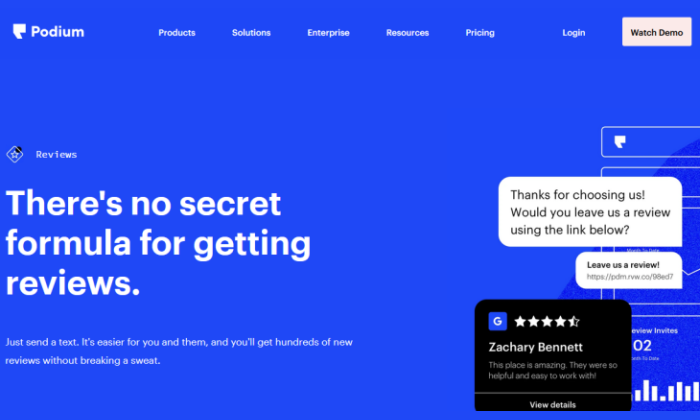
Reputation management can be proactive or reactive. A lot of people think of this service as cleaning up bad reviews or navigating bad press. But a proactive approach focuses on generating high-quality customer reviews to keep your reputation sterling.

Podium is the best tool for doing that, because it is foremost a messaging platform that gets happy customers to leave Google and Facebook reviews through texting.

See, getting five-star feedback every time is a matter of striking while the iron is hot. With Podium, you can capitalize on positive customer interactions instantly, ending the conversation with a simple message and link.

As I said, Podium is foremost a messaging platform. Within it, you manage customer messages across several platforms—like Facebook messages and SMS—in one convenient interface. Podium throws in a free, textable business number for each of its clients.

That’s why the software is so effective at seizing upon opportunities to scoop up good reviews. You can respond to customers across all the major channels, so your team is always prompt to help. Then, they can finish with an invitation to review your company, complete with a short, safe link that will take the customer to any of your review pages.

So, maybe you’re interacting on Facebook Messenger, but you can point folks to review you on Angi (formerly Angie's List) or Capterra.

You can also use the software to set up a live chat widget on your websites to add another convenient channel for customer messaging.

Podium’s paid plan allows you to generate and send customer surveys. Identify pain points and get some insights about what’s making your customers happy.

Podium Starter is the way to try this platform out for free. It comes with the following essential features:

  • Reviews
  • Webchat
  • Unified messaging dashboard
  • Textable business number

Podium doesn’t have any set paid packages, but you can easily request a quote to get an idea of the cost and full feature set.

Don’t waste any more time chasing down customer reviews. Wield Podium and improve your reputation and overall messaging capabilities today.

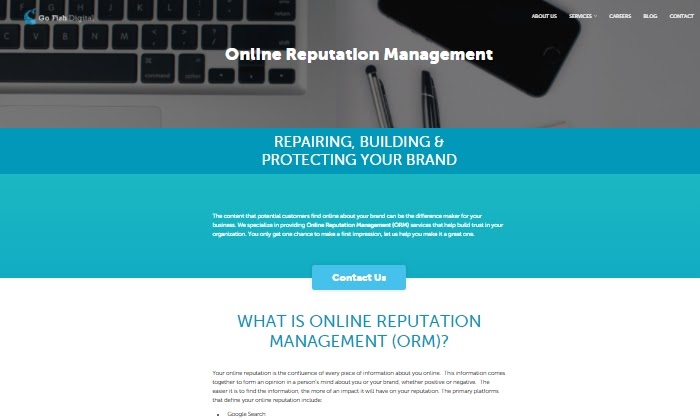
#2 – Go Fish Digital Review — The Best for Managing Reviews

I’ve listed Go Fish Digital as the best agency for managing reviews, and while that’s true, Go Fish Digital also wows with the option of full-service reputation management used by the likes of Geico, Ford, and Airbnb.

With Go Fish, you can gain thorough insight into your customers’ reviews and comments online. 

They work closely with huge review sites like Yelp to manage negative reviews by advocating for review removal on your behalf through their agency tools. They also work to get your best Yelp reviews to the top for more visibility. 

They’re exhaustive in their brand monitoring abilities and monitor all corners of the internet like Wikipedia and Reddit threads to create a plan of action in your favor.  

Go Fish’s review management works by pushing positive content to higher visibility with SEO, adjusting copy in public places where you’re mentioned, cleaning up Google autocomplete, and even promoting positive information about your business wherever your target audience is. 

As they create results, they keep you up to date with a relevant score you can see on their dashboard. 

To be clear, Go Fish is a reputable ORM that does not post false reviews for you. Still, their Yelp review management service is one of their strong suits.

Some of their best review management features are:

  • Managing negative Google reviews
  • Negative auto-complete cleanup often generated from those reviews
  • A dashboard that keeps you updated on your brand’s daily search results
  • Crafting a strategy for your business to encourage the best reviews possible
  • Creating and delivering a strong case on your behalf for negative review removal to the Yelp team

For pricing, you’ll have to contact them directly to get a quote. 

As with most ORMs, their prices change depending on the size of your business and the specific services you’re looking for.

Get in touch with Go Fish to get an initial quote. 

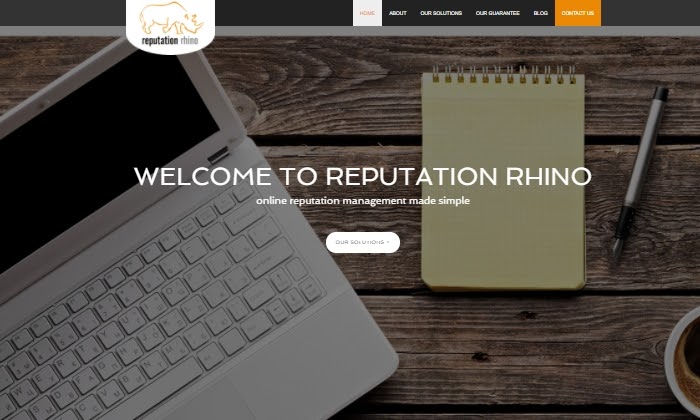
#3 – Reputation Rhino Review — The Best for Individuals and Small businesses

If you’re wondering who exactly needs reputation management, Reputation Rhino’s answer is ‘everyone.’ That’s why it’s the best ORM for solopreneurs and small businesses.

Reputation Rhino is a leading online reputation manager based in New York with clients like Disney, Microsoft, and Nestle. They offer a number of reputation solutions for almost any scenario imaginable, including ones that cater impressively to an individual and their personal brand.  

It doesn’t matter if you’re a doctor, university, hotel, or contractor, Reputation Rhino helps you with Glassdoor, Yelp, and YouTube review removals, social media management, and even an SEO strategy to put the best parts of your brand (or yourself) front and center. 

Do you have terrible images that need to get removed from Google? They can do that. Do you need to fight against libel and personal defamation? Their team of public relations specialists can do that, too. These are services an individual or small business may not know how to do or not have time to take care of.

Their best ORM services for individuals include:

  • A personalized strategy to defend against smear campaigns
  • Suppressing negative online search results
  • Adding an extra layer of protection to your personal privacy
  • Eliminating news articles, forum comments, and negative content

As an individual or SMB, you might be nervous about investing money into an ORM. To help, Reputation Rhino offers a 30-day money-back guarantee that can ease your worries about whether they’ll deliver. If you need a more personal approach to reputation management, Reputation Rhino is happy to work with you individually. 

Their pricing starts at $1,000. But you’ll have to contact them for a personalized package. 

Get started with Reputation Rhino and request more information.  

#4 – Reputation Resolutions Review — The Best for Crisis Management

Unlike other ORMs out there, Reputation Resolutions is the go-to agency for crisis management that can start working on your behalf in 24-72 hours.

A combination of their speedy response, team of attorneys, wide array of solutions, and seasoned professional team makes them the best ORM for enterprise-level reputation and crisis management. 

Maybe your business is an established corporation, but there’s been a sudden increase of negative reviews, you’re dealing with a handful of loud, angry customers online, or there is negative propaganda about you in the media. Ouch. Reputation Resolutions provides everything you need to turn a crisis around. 

Here’s a quick rundown of their top-tier crisis management features:

  • Cyber forensic investigation
  • News article removal
  • Court record removal
  • Thorough and ongoing reputation monitoring
  • Private information removal
  • Unwanted image removal

If you’re an smaller or mid-sized business looking for a management agency to simply take care of negative reviews, Reputation Solutions isn’t the agency for you. 

Alternatively, if you’re an established, well-known business in need of comprehensive PR management, attorneys, or copyright infringement services, then look no further than what Reputation Solutions can offer you. 

To get a pricing quote, email or call them for a free consultation, and they will learn more about you and tailor their services to your specific needs. 

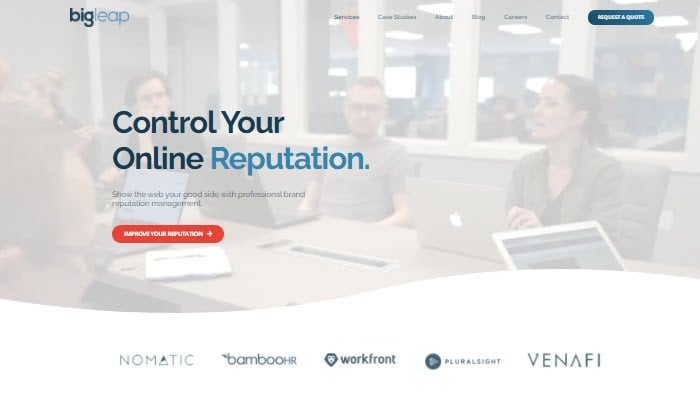
#5 – Big Leap Review — The Best for SEO And Content Management

Big Leap’s ORM services are designed around one thing: content management. Their award-winning content marketing strategy centers around burying the negative and growing the positive.

This is fantastic news for you if you’re looking for an ORM that cares deeply about gaining customer trust through a long-term strategy. 

If your marketing strategy is mainly through content, you’re not as concerned about a sudden PR crisis, or Yelp reviews are mostly irrelevant to your sales success, then Big Leap’s trust-building approach can help you create results. 

They begin by scouring the internet for every mention of your business.  They do social media and search audits, along with a competitive analysis, to give them the bigger picture of where your reputation lies. 

Then they create a positive content strategy tailored specifically for you through brand-strengthening content and social media campaigns. As they execute their content strategy, Big Leap regularly reports back to you with updated results.

Some of their best ORM content management features include:

  • Brand name monitoring
  • Content strategy, creation, and promotion
  • Site optimization
  • Constant workflow updates on content strategy execution

Big Leap doesn’t list their prices publicly, but you can request a quote on their site. 

What I Looked at to Find the Best Online Reputation Management

Unfortunately, there isn’t a singular “best” reputation manager that fits every business like a glove. If there was, then this guide wouldn’t be necessary. 

Different ORMs cater to different services. This can mean some are better than others at crisis management, online monitoring, online review management, SEO focused branded content strategy, or even supplying attorneys to advocate on your behalf.

First, are you building a new online reputation from scratch? Maybe you’re trying to improve a negative reputation? Or are you being proactive and investing in maintaining a good one?

You have to determine where you are on your reputation management journey. Then you can think about a few factors that can refine your search even more.

Business Size and Type

Your company size generally correlates with the size of your reputation. Obviously, the bigger and more varied your sales channels, the more work you’ll have managing how you look online.  

Your business’s size can also dictate the amount you’ll want to invest in ORM services. Some questions to consider are: What is your estimated current business reach? What types of distribution channels do you sell through or publish content on? Are you a service-based business, an organization, or an e-commerce store?

When choosing the best ORM for you, these are some key questions to consider before moving forward. If your business isn’t a complex enterprise, you won’t need a costly ORM that specializes in litigation, video removal, or a team of expert attorneys. 

Marketing Strategy

Your marketing strategy also determines the type of online reputation management you need. 

Do you primarily sell via a content creation strategy? Do you sell on multiple e-commerce platforms? Is your business big enough that it sells through on-air advertising? Do you already have a strong social media presence that drives sales?

Go Fish is a great choice if you want to manage reviews, whereas Big Leap is going to be more effective for managing content. Which is more important for your business's reputation?

Outlining how you primarily reach your customers will help you narrow down your search. If you don’t, it might affect how well your ORM can deliver results. 

Long-Term Crisis Management

Think about the future of your business and its reputation. Sure, at some point you might need to put out a reputation fire that caught you by surprise ASAP. Or maybe you’re only getting started and want your name out there in the short-term in a positive light to drive more sales.

But do you have a long-term plan for managing reputation crises that will inevitably come up in the future?

This will determine which ORM can deliver on either your short-term or long-term goals. Each one is built differently to cater to your business goals, as we’ll see further in this guide.

Conclusion

You don’t have to suffer from a bad reputation that only seems to be out of your hands. There are plenty of agencies out there that can help lighten your reputation management load once you’ve reached out and established a relationship with them.

Here are all my top recommendations to get the help you need today:

  1. Podium – The best for instantly generating positive reviews
  2. Go Fish Digital – The best for managing reviews 
  3. Reputation Rhino – The best for individuals and small businesses
  4. Reputation Resolutions – The best for crisis management
  5. Big Leap – The best for SEO and content management

Online reputation management agencies can indeed offer a lot of the same services. But look closer to find what they specialize in. Hopefully, this in-depth guide helped shed light on which of the top ORMs can work for you.

Check out each agency on this list and get a quote from the one that fits you best to start managing your online reputation now. 

————————————————————————————————————————————–

By: Neil Patel
Title: Best Online Reputation Management
Sourced From: neilpatel.com/blog/best-online-reputation-management/
Published Date: Thu, 17 Jun 2021 13:00:00 +0000

Filed Under: news

The Easiest Way to Build Links

By Peter

Link building sucks.

It’s time consuming and hard.

But as an SEO, you have no choice but to build links… assuming you want to rank on Google.

So, today I am announcing a new Ubersuggest feature, that makes link building faster and easier.

Here’s how…

What is the easiest way to get links?

What if you could only focus your link building efforts on sites that are highly likely to link to you?

Sounds great right…

Well, you can.

Just think of it this way… what are the sites that are most likely to link back to you?

It’s actually the ones that link to your competitors.

For example, if there were 300 sites that linked to 4 of your competitors, but they don’t link to you yet, reaching out to those 300 sites should create a large chunk of new backlinks for you. Because if they are willing to link to your competition, they usually won’t mind linking to you as well.

On the flip side if there are sites that don’t link to you or any of your competitors, if you hit them up, the chances are, they will ignore you and not link to you.

So how do find these easy link opportunities?

Introducing Backlink Opportunities by Ubersuggest

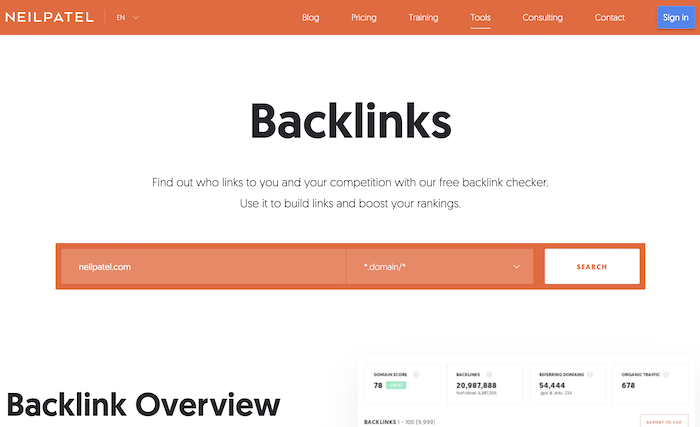
I want you to first go here. Then type in your URL and click on “search”.

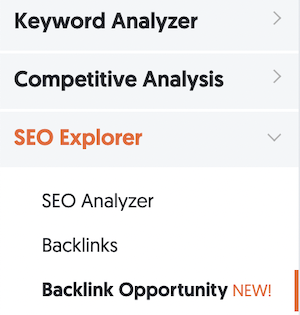
In the left-hand navigation click on “Backlink Opportunity”.

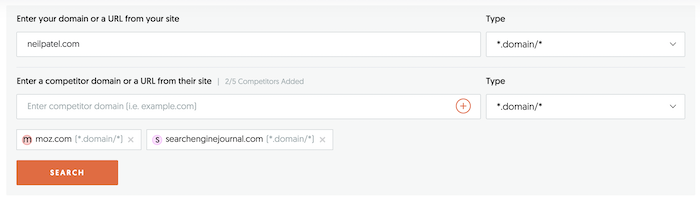
In this report make sure you put your URL at the top and enter in a few of your popular competitors. As you can see, I put in Moz and Search Engine Journal.

Make sure you click the “+” button when adding each of your competitors and then hit “search”.

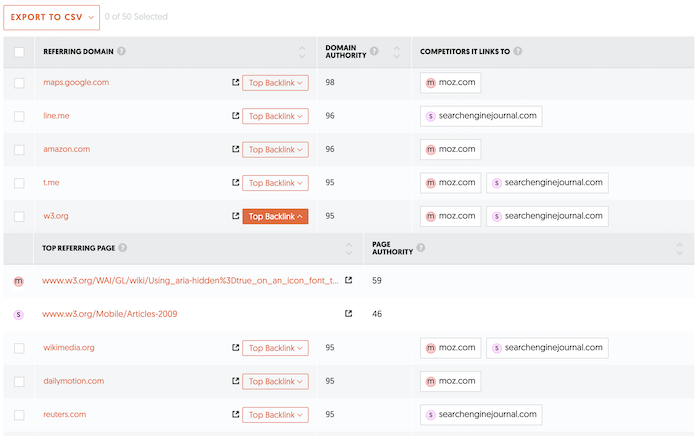
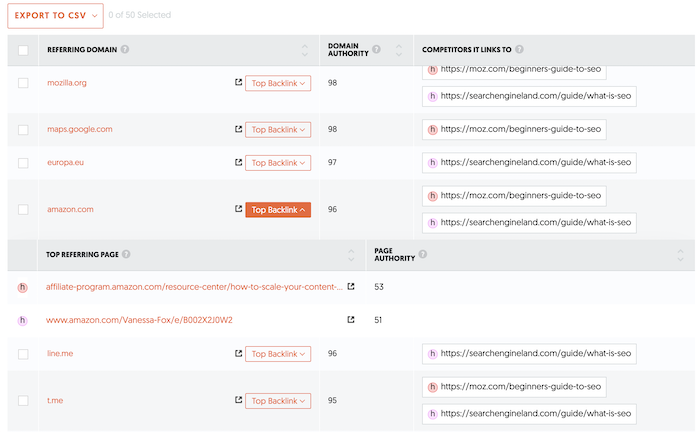
Within seconds you’ll see a report of who links to your competitors, but not you.

You’ll then want to drill down on each domain to see the exact URL that links to your competitors.

Some of the links may not be a good fit, such as the Google Maps page linking to Moz… unless you have a physical office location.

But others, such as the W3.org site, could be a great opportunity.

Wait, it gets better

The example above shows you all of the people that link to your competitors but not you.

But it is on a domain level.

With link building, it’s easier to get links when you have a similar blog post to your competition.

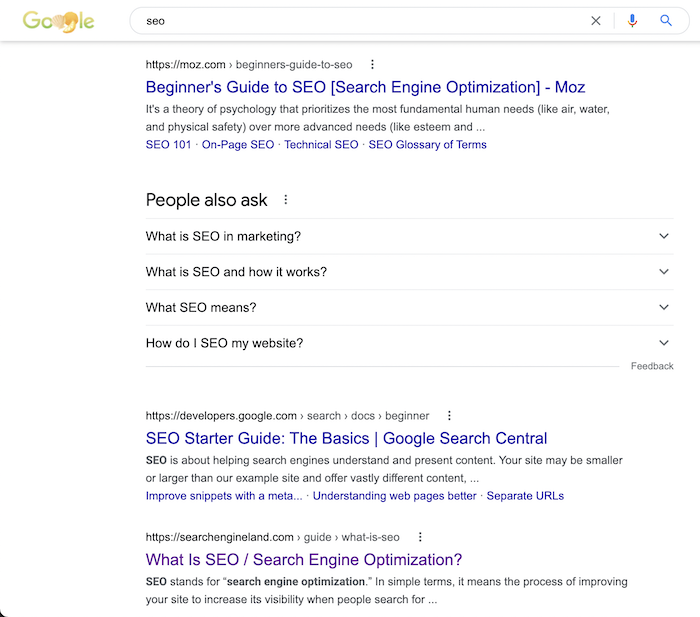
For example, let’s say I Google the term “SEO”. Here’s what I see on Google.

Both Moz and Search Engine Land rank above me.

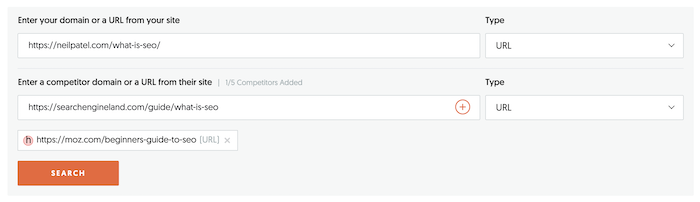
I can take the exact URLs that rank above me and put them into the Backlink Opportunity report.

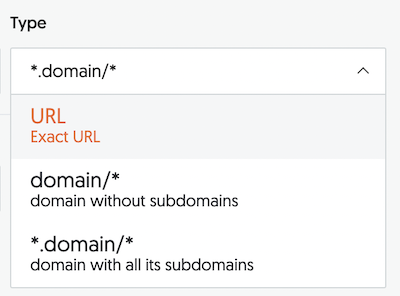
When adding competing URLs to the Backlink Opportunity report, you’ll want to select “URL” instead of “Domain” so you can see who links that specific URL.

This is important because Moz and Search Engine Land may have articles around topics that I don’t cover. But their articles on SEO that rank above me are about SEO basics. And the article I have that ranks below them is on SEO basics.

For that reason, it is highly relevant to see who links to the pages that rank above me because there is a good shot, I can convince one of those sites to link to me.

Sending out the email

Once you have a list of sites you want to outreach to, you are probably wondering… “how do I figure out who to email”, right?

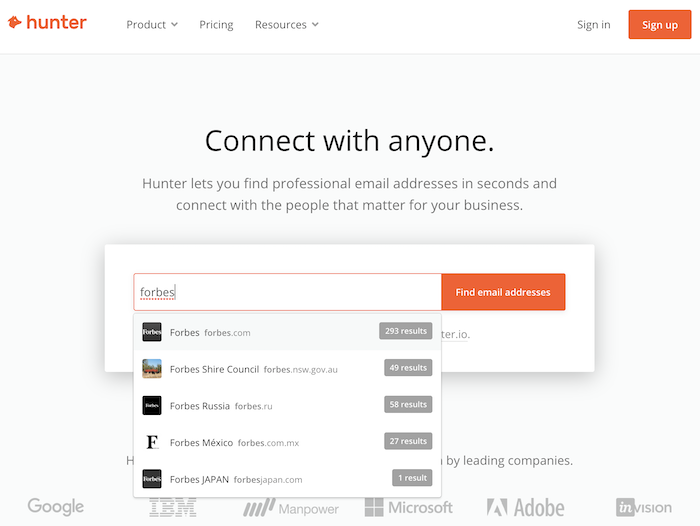
Using Hunter.io you can get the email address for any site for free.

Once you have a person’s email, send them a custom email.

For example, for the people who link to Moz’s SEO beginner guide and Search Engine Land’s beginner’s article, I may send something like this…

Hey John,

You already know SEO is changing fast, hence you wrote an article on up-and-coming SEO trends.

But one thing I noticed is you didn’t talk much about AI and how it is going to impact SEO.

And the articles you linked to on Moz and Search Engine Land don’t cover that either. Yet at conferences, it’s one of the buzzing topics that everyone is curious about.

I actually have a few examples of the use of AI in SEO here [insert link].

If you think it’s valuable feel free and add it to your site. 🙂

Thought it would help your readers.

Cheers,

Neil Patel

PS: By the way, I just shared one of your articles on Twitter… you can check it out here.

My outreach emails are very custom. Using generic outreach emails don’t work too well with link building.

When I send out 100 emails based on opportunities from the Backlink Opportunity report, I aim for at least 15% of the sites to link back to me.

Keep in mind I am specifically using the report to see who links to similar competing articles that rank higher than me on Google. It’s very specific, but that is why it works.

Conclusion

If you haven’t, go here and put in your URL. Try out the Backlink Opportunity report and tell me what you think.

Start off by seeing who links to your competition and hit up those sites one by one to see if they are willing to link to you.

It works… just reach out to 10 sites and day and do it for a month. You will see results.

So, what do you think about this new report?

————————————————————————————————————————————–

By: Neil Patel
Title: The Easiest Way to Build Links
Sourced From: neilpatel.com/blog/backlink-opportunity/
Published Date: Tue, 22 Jun 2021 00:04:31 +0000

Filed Under: news

12 Useful Open Graph Meta Tag Types for Facebook and Twitter

By Peter

Marketers create a lot of content. Yes, content is king, but that king is powerless without followers.

So, what’s the first thing that comes to mind when you want to reach a broader audience with your awesome new blog post?

Sharing on social media, of course. The massive audiences of sites like Facebook and Twitter make them some of the best sharing, but do you know how to optimize that outreach potential?

Open graph meta tags were designed to do just that. But what are they, why do they matter, and — most importantly — how do you use them?

What Is Open Graph and Why Was It Created?

Facebook introduced Open Graph in 2010 to promote integration between Facebook and other websites by allowing posts to become rich objects with the same functionality as other Facebook objects.

Put simply, it helps optimize Facebook posts by providing more control over how information travels from a third-party website to Facebook when a page is shared (or liked, etc.).

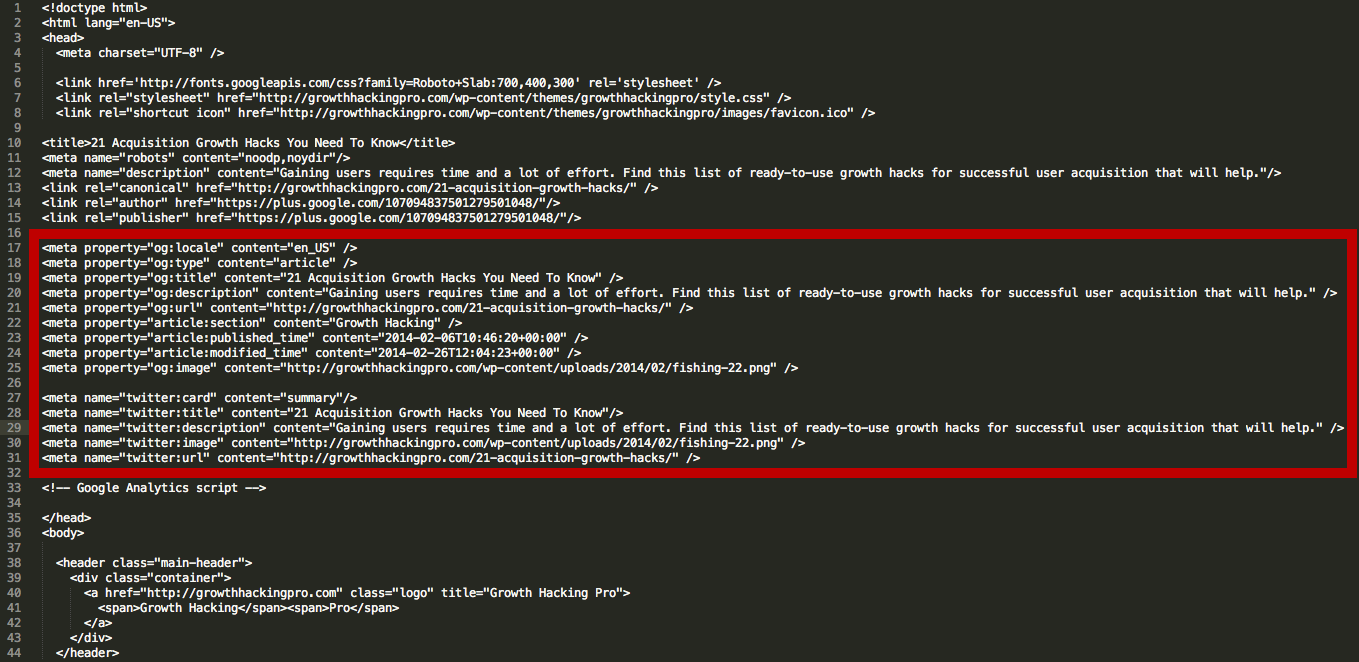
To make this possible, information is sent via Open Graph meta tags in the <head> part of the website’s code.

head html for open graph meta tags

Now, other social media sites also are taking advantage of social meta tags.

Several other major platforms, including Twitter and LinkedIn, recognize Open Graph tags. Twitter actually has its own meta tags for Twitter Cards, but if Twitter robots cannot find any, Twitter uses Open Graph tags instead.

Why Marketers Should Care About Open Graph

Social media sites are the major drivers of most of the web’s traffic. Consequently, the ability to harness the power of social meta tags is a vital skill for today’s marketers.

Most importantly: open graph meta tags can have a massive impact on conversions and click-through rates.

Have you ever shared a link on Facebook only to find that the thumbnail was missing, or there was a totally different picture than you expected?

Knowing just a little about Open Graph tags can help you tackle these problems and improve your social media marketing.

Adding Open Graph tags to your website won’t directly affect your on-page SEO, but it will influence the performance of your links on social media, so that means it’s worth looking into. Let’s take a look at the most important meta tags for Facebook and how to optimize them for better sharing.

Understanding Facebook Open Graph Meta Tags

Facebook has several open graph meta tag types. Let's cover the different types, then I'll cover how to use them.

Facebook HTML Tags open graph meta tags guide

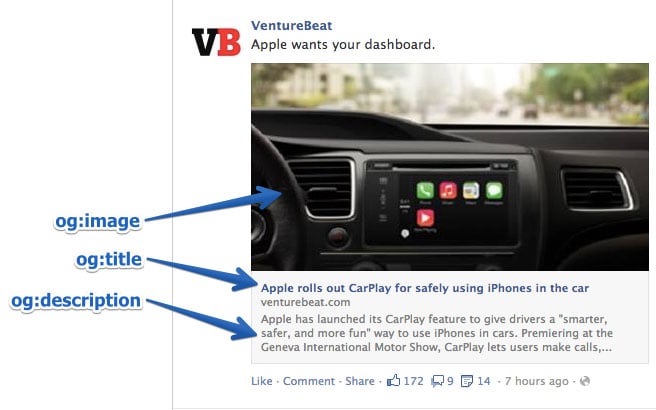
og:title

As you might guess, this is how you define your content’s title. It serves a similar purpose as the traditional meta title tag in your code. In fact, if Facebook doesn’t find the og:title tag on your page, it uses the meta title instead.

Keep in mind that the text shown on a Facebook feed is in bold and extremely eye-catching. It must be compelling, just like a good post title.

There is no limit on the number of characters, but it’s best to stay between 60 and 90. If your title is longer than 100 characters, Facebook will truncate it to only 88!

Example:

<meta property=”og:title” content=”Your eye-catching title here” />

og:url

This is how you set the canonical URL for the page you are sharing. What this means is that you define one page that all your shares will go to. It’s useful if you happen to have more than one URL for the same content (for example, using parameters). Important note: URL provided is not shown on Facebook newsfeed, only domain is visible.

Example:

<meta property=”og:url” content=”http://www.yourdomain.com” />

og:type

This is how you describe the kind of object you are sharing: blog post, video, picture, or whatever. The list to choose from is long. Here are some examples:

Web based:

  • website
  • article
  • blog

Entertainment:

  • book
  • game
  • movie
  • food

Place:

  • city
  • country

People:

  • actor
  • author
  • politician

Business:

  • company
  • hotel
  • restaurant

You can see the full list of types here.

This tag is important if your page has a “Like” button and represents a real-life object (like a book or a movie). It determines if your content will appear in a user’s interest section of her profile in the event she “Likes” it.

In most cases, you will use the “website” value, since what you are sharing is a link to a website. In fact, if you don’t define a type, Facebook will read it as “website” by default.

Example:

<meta property=”og:type” content=”website” />

og:description

This meta data descriptor is very similar to the meta description tag in HTML. This is where you describe your content, but instead of it showing on a search engine results page, it shows below the link title on Facebook.

Unlike a regular meta description tag, it won’t affect your SEO. (So, don’t spend too much time figuring out how to sneak in keywords.) However, it’s a good idea to make it compelling because you want people to click on it.

You are not limited to a character count, but it’s best to use around 200 letters. In some cases, depending on a link/title/domain, Facebook can display up to 300 characters, but I suggest treating anything above 200 as something extra.

Example:

<meta property=”og:description” content=”Your entertaining and descriptive copy here, if your meta description is good, use it.” />

og:image

This is the most interesting Open Graph tag for many marketers because a picture always helps content stand out. This is how you ensure that a particular thumbnail will be shown when your page is shared. It can be very helpful for your conversion rates.

Make sure you set the og:image you choose, otherwise Facebook will show something stupid like an unwanted ad banner scraped from the page, or nothing at all (as below). We definitely don’t want that!

FB no thumbnail open graph meta tags

It’s important to remember that if your page is static and you don’t use any sort of content management system (CMS) (like WordPress), you need to change the og:image manually for each of your pages.

If your website is controlled with a CMS and you installed the relevant plugin, the og:image tags are assigned automatically for each page. Look for the list of plugins further down.

The most frequently recommended resolution for an OG image is 1200 pixels x 627 pixels (1.91/1 ratio). At this size, your thumbnail will be big and stand out from the crowd. Just don’t exceed the 5MB size limit.

FB my full open graph meta tag example

If you use an image that is smaller than 400 pixels x 209 pixels, it will render as a much smaller thumbnail. It’s nowhere nearly as eye-catching.

FB little thumbnail for open graph meta tags

Keep in mind that the picture you use as an Open Graph image can be different from what you have on your page.

Why wouldn’t you leverage that opportunity to stand out even more?

For example, if your title is good, but the picture you are using is not very exciting (not an infographic or a good-looking person, etc.), consider using an image with a good line or two of copy instead (see example below).

One thing you need to remember if you do this: lace your text, or the most significant part of it, in the middle of the image. This matters because Facebook trims the sides of thumbnails.

FB thumbnail centred with text open graph meta tag

Example:

<meta property=”og:image” content=”http://www.yourdomain.com/image-name.jpg” />

Advanced Facebook Open Graph Tags

The Open Graph tags above are the ones you really need to know (og:description not so much, but it is useful). There are other, more advanced, tags you can use to provide even more in-depth specifications.

  • og:locale – defines the language, American English is the default
  • og:site_name – if the page (object) you are sharing is part of a larger network
  • og:audio or og:video – to add additional audio or video files to your object
  • fb:app_id – for linking to a Facebook application (e.g., FB Comments) with the object

Check Your Open Graph Tags

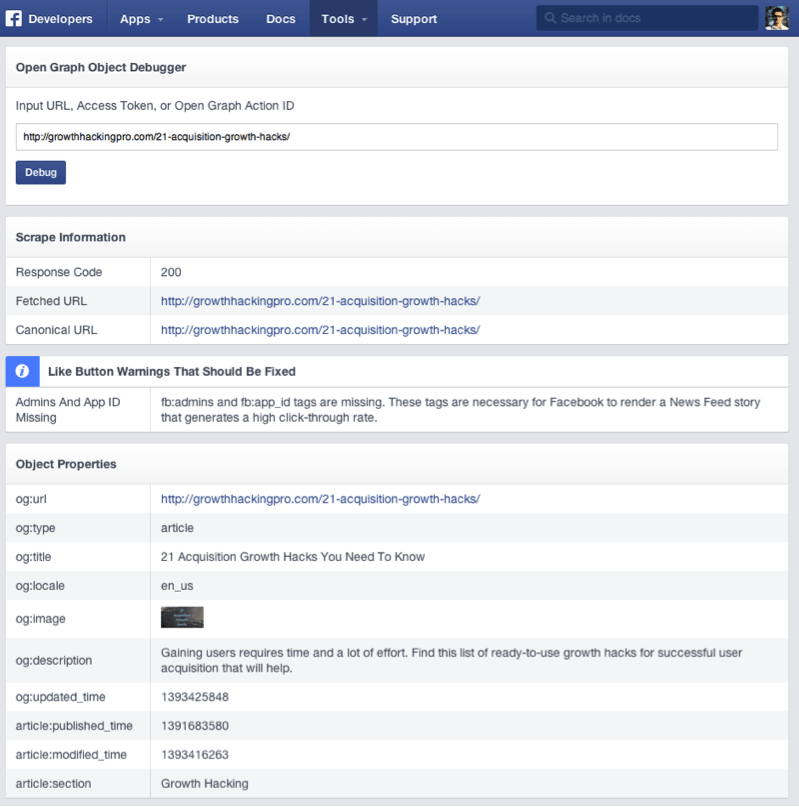
To make life easier, Facebook has created a tool called Sharing Debugger. It has two very helpful functionalities.

First, when you type in the link you want to check, it returns any errors and suggestions for OG tags, if there are any. You also can check what the og:image looks like, what your description is, and so on.

Second, it clears the Facebook cache. Imagine this: you post a link to Facebook, but then you see a mistake in the thumbnail, so you go back to your site and adjust the OG tags, and you post it again on Facebook.

Probably, nothing will happen. The thumbnail will stay the same. This is because of the cache. The Facebook Sharing Debugger will refresh the cache on your links after any adjustments, so remember to use it each time.

Facebook Object Debugger open graph meta tags

Open Graph Meta Tags for Twitter: Twitter Cards

Like Facebook’s Open Graph tags, Twitter Cards let you stand out from the crowd of tweets. They allow some additional content to be generated from your 140-character tweet.

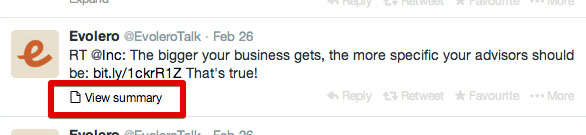
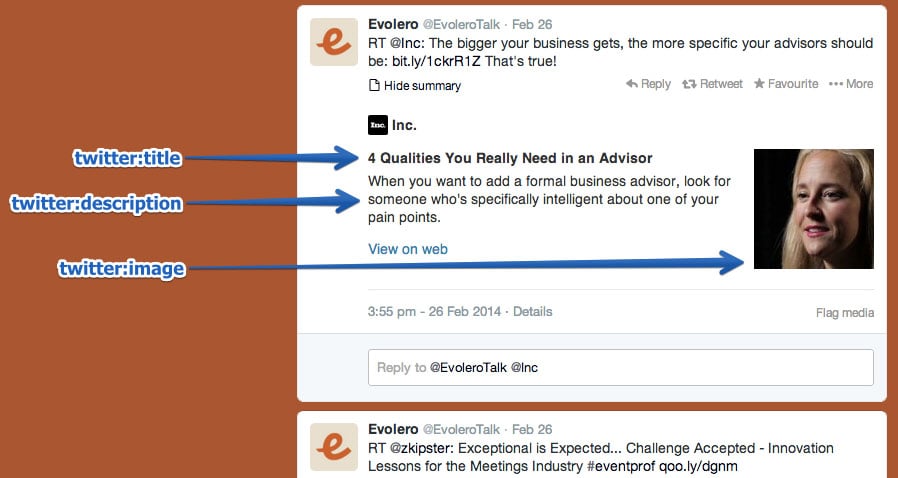
This doesn’t show up on people’s feeds automatically, but it adds a little “View summary” button below the tweet.

Evolero 2 twitter open graph meta tag examples

When you click it:

Twitter Card Tags open graph meta tags example

It’s a tempting thing to click and provides a handy summary of the shared page—the Twitter Card. Surprisingly, not many sites take advantage of these tags. This is a big opportunity to make your tweets stand out in crowded Twitter feeds.

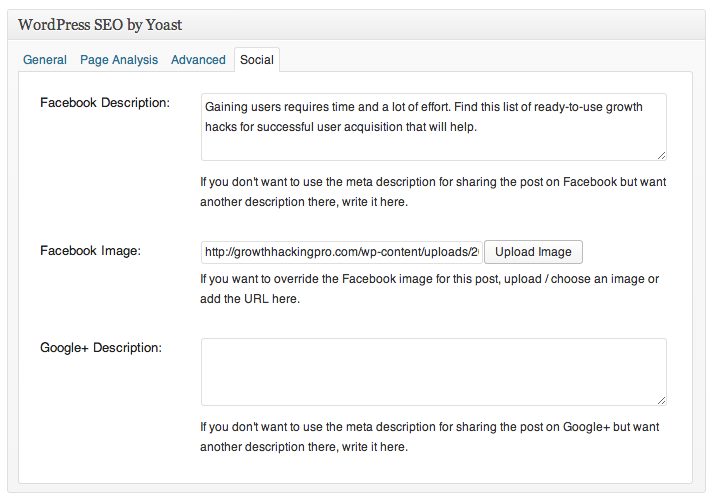
The best way to get them is to install one of the WordPress plugins. WordPress SEO by Yoast, mentioned above, does the job. If that’s not an option, ask your web developer and give him the ready-to-implement Twitter Card tags. Here’s how you’ll make them.

twitter:card

This required tag works in a similar way to og:type. It describes the type of content you are sharing. There are 7 options to choose from: summary, photo, video, product, app, gallery, and “large version” summary.

Depending on the type of content you choose, the link at the bottom of your tweet changes. You can get “View summary” for summaries, “View photo” for photos, etc. If this tag is not set, Twitter reads your link as a “Summary” by default.

Example:

<meta name=”twitter:card” content=”summary” />

twitter:title

This basically does the same thing as its OG counterpart. You specify the title for your article that will show up in bold. It’s smart to avoid repeating the same text you have in your tweet. Make the most of the space provided and let the two pieces of copy play on each other to reinforce the message. Use up to 70 characters.

Example:

<meta name=”twitter:title” content=”Your title here” />

twitter:description

Use this tag to write a descriptive lead to the page you are sharing. As with Open Graph tags, don’t focus on keywords because they won’t matter for your SEO. Create compelling copy that nicely complements your tweet and the title. Twitter limits this part to 200 characters.

Example:

<meta name=”twitter:description” content=”Your 200-character description here” />

twitter:url

This sets the canonical URL for the content you are sharing. (For more information, review the description for the equivalent Facebook Open Graph tag above.)

Example:

<meta name=”twitter:url” content=”http://www.yourdomain.com” />

twitter:image

Yes, you guessed it. This is how you set the picture to go with your tweet. Twitter allows two options, a card with a smaller or a larger picture.

You decide which one you want in the type tag. If you go for the large option, make sure it has a resolution of at least 280x150px and that the file size is not more than 1MB. You can consider using the same trick as with the Facebook thumbnail: add some text to the image to boost the message.

Example:

<meta name=”twitter:image” content=”http://www.yourdomain.com /image-name.jpg” />

Request Approval from Twitter

Keep in mind that, before you can fully benefit from Twitter Cards, you need to request approval for your page from Twitter. Fortunately, this doesn’t take much time and can be done easily using their Card Validator. Once you get approval, Card Validator serves exactly the same purpose as the Facebook Sharing Debugger, allowing you to check your links before you commit.

Twitter Card Plugins

Just like with Facebook, there are plenty of plugins available for implementing Twitter Cards. Here are a few:

  • Drupal
  • Magento
  • Zen Cart
  • osCommerce

How to Implement Open Graph Meta Tags

How do you implement OG tags? Basically, they belong to the <head> part of your page’s HTML. If you don’t manage the code, you’ll need to ask your web developer for help. You can prepare the whole package yourself using the tips above to save his valuable time.

If you are using WordPress, just install one of the plugins that neatly implements the code for you. I like to use WordPress SEO by Yoast, but there is an official Facebook Plugin and others to choose from.

Wordpress SEO by Yoast for open graph meta tags

Here are other OG plugins/extensions/add-ons for:

  • Joomla
  • Drupal
  • Magento
  • Zen Cart
  • osCommerce

Open Graph Meta Tags Conclusion

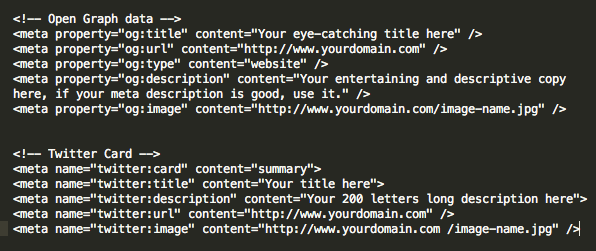
The final code for both Facebook and Twitter should look more-or-less like this:

final code screen open graph meta tags conclusion

It might seem a bit confusing, but luckily there are several tools that make the process easier — you don't need to know how to code.

It’s surprising how few people optimize these tags. It’s worth doing because it helps you stand out and draw more clicks and views, and it can even help improve your SEO —all things that lead to more profit.

Have you implemented open graph meta tags? How has it impacted your site?

————————————————————————————————————————————–

By: Neil Patel
Title: 12 Useful Open Graph Meta Tag Types for Facebook and Twitter
Sourced From: neilpatel.com/blog/open-graph-meta-tags/
Published Date: Thu, 24 Jun 2021 14:00:00 +0000

Filed Under: news

How to Utilize Chatbots in Tandem With a PPC Campaign

By Peter

Have you thought about incorporating the AI magic of chatbots with the wide net of a PPC ad campaign? Combining these two strategies can add a boost to your next digital marketing campaign. 

To ensure a successful PPC campaign, you have to start with the end in mind. Where do you want people to go once they’ve seen your ad and shown some interest? Do you want to make a sale or provide information?

You also need to consider what they want to learn about you and how you can help them find all the information they want.

That’s where chatbots come in. 

What Are Chatbots?

Chatbots are a type of artificial intelligence (AI) created to answer customer questions. They're capable of answering basic or common questions, sending people to pages answering their questions, looking up orders, and more.

You can program your bot to escalate a customer to a real person if needed as well.

Most people think to look for chatbots in the lower right-hand corner of a company's website. The button may say something like “chat now” or “support,” like the one on Imperfect Foods' website:

Imperfect Foods chatbot support button

However, you can also set them up on Facebook Messenger and some other social media sites.

Chatbots can become very interactive, depending on the platform and the script. Also, you can check in with them however often you want and follow up with prospects when needed.

Functionalities vary widely, but however you incorporate bots, they can be a powerful, real-time player in your digital marketing strategy, buttressing your PPC campaign with interactivity and deepened brand awareness. 

5 Ways to Use Chatbots During a PPC Campaign

The great thing about adding chatbots to your PPC campaign strategy is the flexibility they bring. No matter your business, sales goals, or individual PPC campaign goals, chatbots can become your right-hand person when you can’t be there for every click-through.

Here are five things they can do to help your customers while freeing you and your team up to focus on the big picture.

1. Answer User FAQs Immediately

We’ve all seen PPC ads, and chances are you've clicked on at least one because it intrigued you enough to want to learn more about what was in the content you saw.

Was your curiosity satisfied immediately? Or did you have to dig for the information promised by the ad?

Save your prospective customer the trouble and have a chatbot ready to answer their questions. 

When a user clicks the PPC ad, your chatbot can appear on the page and ask if they have any questions. Through a series of scripts, you can help prospective customers learn more about you and find the products or services they need.

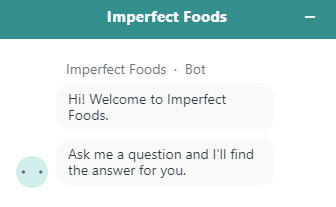
Going back to the Imperfect Foods example, if you're a first-time visitor, it simply tells you to ask it a question. 

How to Use Chatbots During a PPC Campaign - Answer User FAQs Immediately

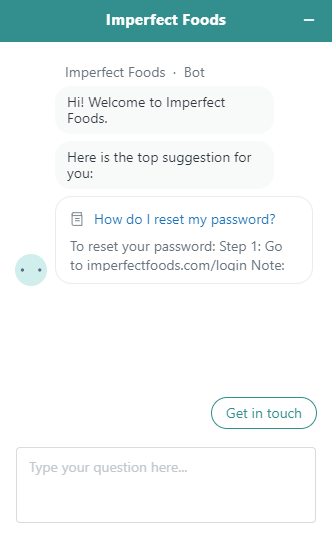
However, if you're a returning user, it knows why you probably clicked on the chat function: You forgot your password.

How to Use Chatbots During a PPC Campaign - Imperfect Foods Example

If that's not knowing what your audience is going to ask, I don't know what is.

2. Forge a Connection 

People like to make a connection with real people behind a brand.

A chatbot is, by definition, a bot—not an actual person. However, even when companies tell consumers they're talking to a bot, something fascinating tends to happen. According to Psychology Today, “When interacting with chatbots, our brain is led to believe that it is chatting with another human being.” 

Further, since they are always there, ready to help, people can feel a real personal connection with them. (So, be sure to program your bot's voice to fit in with your brand story!)

This can improve brand awareness and encourage people to continue that connection by following you on social media or coming back to your website when they need your products or services. 

It could also help with immediate sales. Getting emotions involved in your marketing can improve your leads and conversions. 

People like feeling supported. When they come to your website and don’t have to poke around to get their questions answered and find the resources they're looking for, they're likely to feel better about the experience. 

3. Direct Users to the Right Landing Pages, Product Pages, or Resources

As you create your PPC campaign, the reality is you can’t guess what every person is shopping for. While you should create a targeted landing page or ensure your PPC ads take users to the right place, sometimes miscommunications between customer intent and where they land can occur.

How can you keep users from landing on your page, then immediately bouncing if they don't see exactly what they need?

A chatbot can showcase your entire inventory or website content from any page your customer lands on.

You can use them to ask users what they're looking for and direct them to the corresponding page or resource.

4. Learn More About Your Target Audience

PPC ad campaigns only tell you so much about who is clicking. You can gather specific metrics from analytics, but those are often demographic stats from which you would have to deduce motivations or needs.

What is your target market looking for? How can you help meet them where they are?

Why not use a chatbot to actually ask them?

In an on-brand tone, you could have your chatbot pop up with a specific question to start a conversation.

Even if a customer chooses not to buy or comes back later, that chatbot conversation can help you uncover valuable information about your target market.

As the PPC campaign continues, you can look for patterns. 

For example, HubSpot uses chatbots on their pages to ask the user what they want to do next. HubSpot employees can review those conversations later to learn about what their viewers are looking for.

hubspot chatbot builder example

5. Improve Brand Awareness

Whether your PPC campaign is introducing potential customers to your brand for the first time, debuting a new product or service, or keeping your brand at the forefront of your target market’s mind, chatbot integration can help to improve your brand awareness. 

From the first pop-up welcome or introduction message to the answers to questions, chatbots can be designed to show brand personality.

This can be as simple as just using vernacular specific to your brand and how your customers talk. If your brand is casual, perhaps a chat could start with “Howdy!” If your voice is more formal, something like “How may I assist you today?” could be more appropriate.

You can also incorporate any characters or mascots you use in your branding to be the “face” of the chatbot. Generally, people logically know they aren’t talking to a real person and are okay with that. However, it's much more fun and feels more personal if they get to talk to a character associated with your company, thereby potentially improving their experience with your brand.

Evaluating the Success of Your PPC Chatbot Strategy

Before you can dive into the metrics and measure whether your chatbot PPC campaign is working, you need to define success for yourself. What are you trying to accomplish with this campaign?

Success metrics could include:

  • higher sales of a particular product or service
  • more visitors to your website
  • an increase in followers on a social media platform
  • additional sign-ups for your newsletter
  • heightened awareness of your brand offerings

When you know what defines success for this campaign, you can look at the right metrics to understand what’s working and what you can improve upon. 

With the PPC campaign as a whole, one of the primary data points you can look at is click-throughs. 

With chatbots, though, there is an added component: Interaction. The conversations between chatbots and users allow you to answer questions like:

  • How often are people using your chatbot? 
  • How long are the interactions?
  • What sorts of things are users searching for?
  • Which conversations turn into conversions?

The information you learn from your chatbots in your PPC campaign can help you:

  • optimize campaigns for what buyers want based on common queries
  • create content reflecting what buyers ask
  • update inventory based on what buyers are looking for

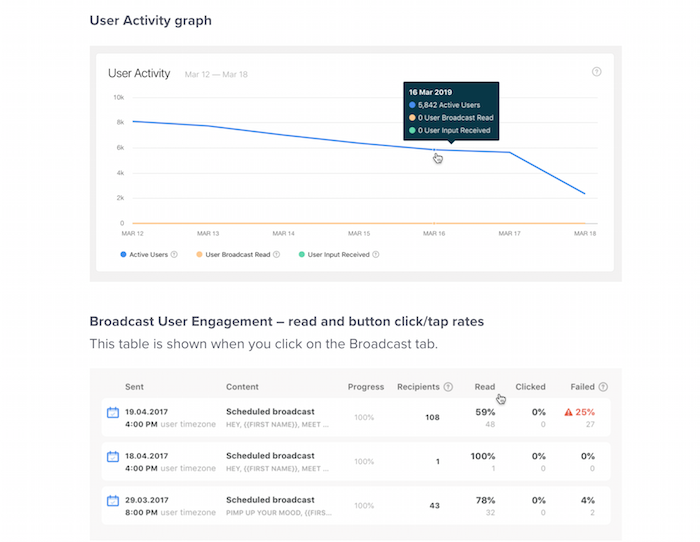
Here are two examples of how Chatfuel shares its chatbot metrics. Users can explore engagement through these dashboards. Most chatbot platforms have similar metric dashboards.  

Evaluating the Success of Your PPC Chatbot Strategy

Chatbots for PPC Campaigns FAQs

How do I get people to use my chatbot?

Your chatbot on your PPC campaign's landing page needs to be obvious, popping up soon after a user clicks your link. To encourage interaction, program your chatbot to welcome the user and ask them a question.

What is the best chatbot platform?

The best chatbot platform for PPC campaigns is one you can seamlessly integrate onto the landing page where people click to. This varies by your needs, but HubSpot's Chatbot Builder, ManyChat, and Chatfuel may be worth checking out.

How expensive is it to set up a chatbot?

Chatbot pricing depends on the provider and features you choose. Many offer free trials or a free basic level, with prices going up after your trial or as you add additional options.

How can I make my chatbot interesting?

Give your chatbots a personality in line with your brand. Make the bot feel like a real person, even if you're upfront about being a bot, so the user feels connected to your brand. The bot should introduce itself, ask questions, and provide relevant information to customers as they interact. 

Chatbots Conclusion

Using chatbots in tandem with PPC campaigns can make your prospective customers feel “seen,” help them learn more about your brand, and potentially increase conversions thanks to the help they give.

Setting up a chatbot on the landing page of your PPC campaign can put your brand's features, options, benefits, and customizations at your customers’ fingertips from the get-go.

The chatbots your PPC campaigns introduce users to can also teach you more about what your customers want. Then, you can use that data to create future digital marketing campaigns specific to their needs. 

How are you going to incorporate chatbots into your next PPC campaign?

————————————————————————————————————————————–

By: Neil Patel
Title: How to Utilize Chatbots in Tandem With a PPC Campaign
Sourced From: neilpatel.com/blog/chatbots-ppc/
Published Date: Thu, 24 Jun 2021 13:00:00 +0000
Filed Under: news

How to Get More Twitter Followers Fast (7 Easy Steps)

By Peter

What if I told you that you could get 10,000 Twitter followers without having to follow others or spend a bunch of money on ads?

What if I also told you that it would be pretty easy to do?

Well, I’ve got seven simple, straightforward, and super effective Twitter tips to help you do just that.

Twitter is still among the top social networks today for users with over 192 million daily active users.

Twitter could be the secret ingredient to connecting with the biggest possible audience, and I am going to help you do it.

First, though, let's talk about why you would even want more Twitter followers.

Why do Twitter Followers Matter?

Sure, Facebook is the biggest social network with the most monthly active users.

However, you shouldn’t underestimate Twitter’s importance.

It’s a global powerhouse.

Even though nearly a quarter of Americans use Twitter regularly, much of Twitter’s user base is international users.

This means that Twitter allows you to connect with a global audience.

There are other factors to consider, too.

Such as how Twitter’s millennial and Gen Z audience is a coveted one from a marketing perspective.

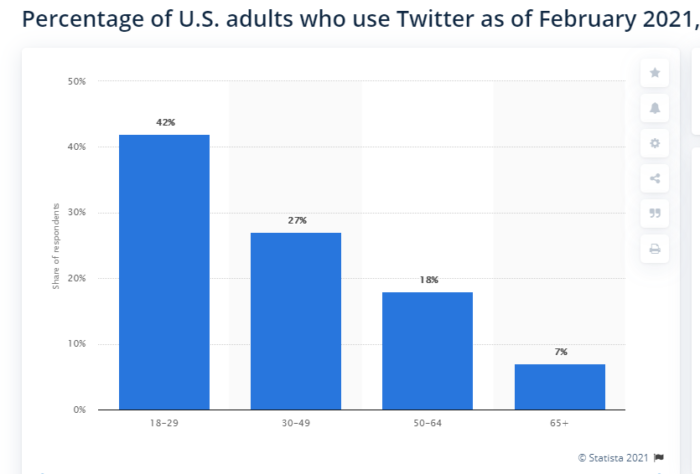
In fact, 42 percent of Twitter users are between the ages of 18 and 29, and 27 percent are between the ages of 30 and 49.

twitter follower guide users by age group

Not only are there tons of millennials on Twitter, millennials more frequently use social media as a tool for discovering new brands.

Statistically speaking, millennials and Gen Z are an ideal target demographic for many companies because they make up a huge market.

So why not reach out to them where they live?

twitter followers guide percentage of consumers who buy after seeing on social

Millennials eat out more, love trying new products, and they’re always looking for unique experiences with brands and companies.

In fact, the rise of the millennial generation has forever changed the world of marketing, from the strong focus on video to the rise of influencer marketing, and the emphasis on emotional connection.

There’s another reason Twitter is so attractive to marketers, and that’s because it gives you 100 percent reach.

However, there’s a caveat.

When you post to Twitter, your tweets are only seen by your followers or when your tweets are shared with others’ Twitter followers.

You have 100 percent reach only with your followers and their followers.

This means 100 percent reach on Twitter doesn’t matter if there aren’t people seeing your content.

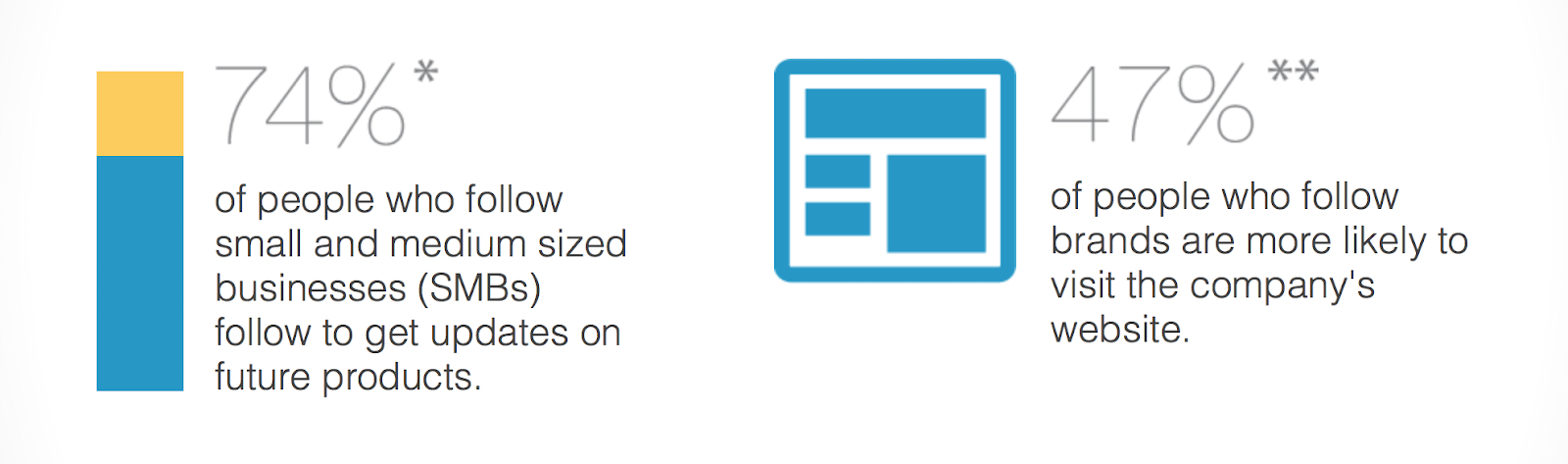
According to recent research, 74 percent of the people who follow small and medium businesses on Twitter are following these businesses because they want updates on future products.

twitter followers guide why people follow brands on twitter/

Additionally, nearly half of those who follow brands and businesses are more likely to visit those companies’ websites.

So your Twitter followers will often become people who visit your website and invest in your brand through purchases.

Fortunately, I can help you get followers quickly and effectively.

How to Get Twitter Followers Fast

Now that you know why Twitter followers matter, let's talk about how to get them. Keep in mind, quality is always better than quantity. 100K followers is great — but not if they don't care about your business.

1. Optimize Your Twitter Profile to Attract Twitter Followers

For all the power you stand to gain by using Twitter for your business, not having a professional, up-to-date profile can be a major turn-off to prospective followers.

So one of the first steps on the road to amassing tons of followers is to make sure your Twitter profile rocks.

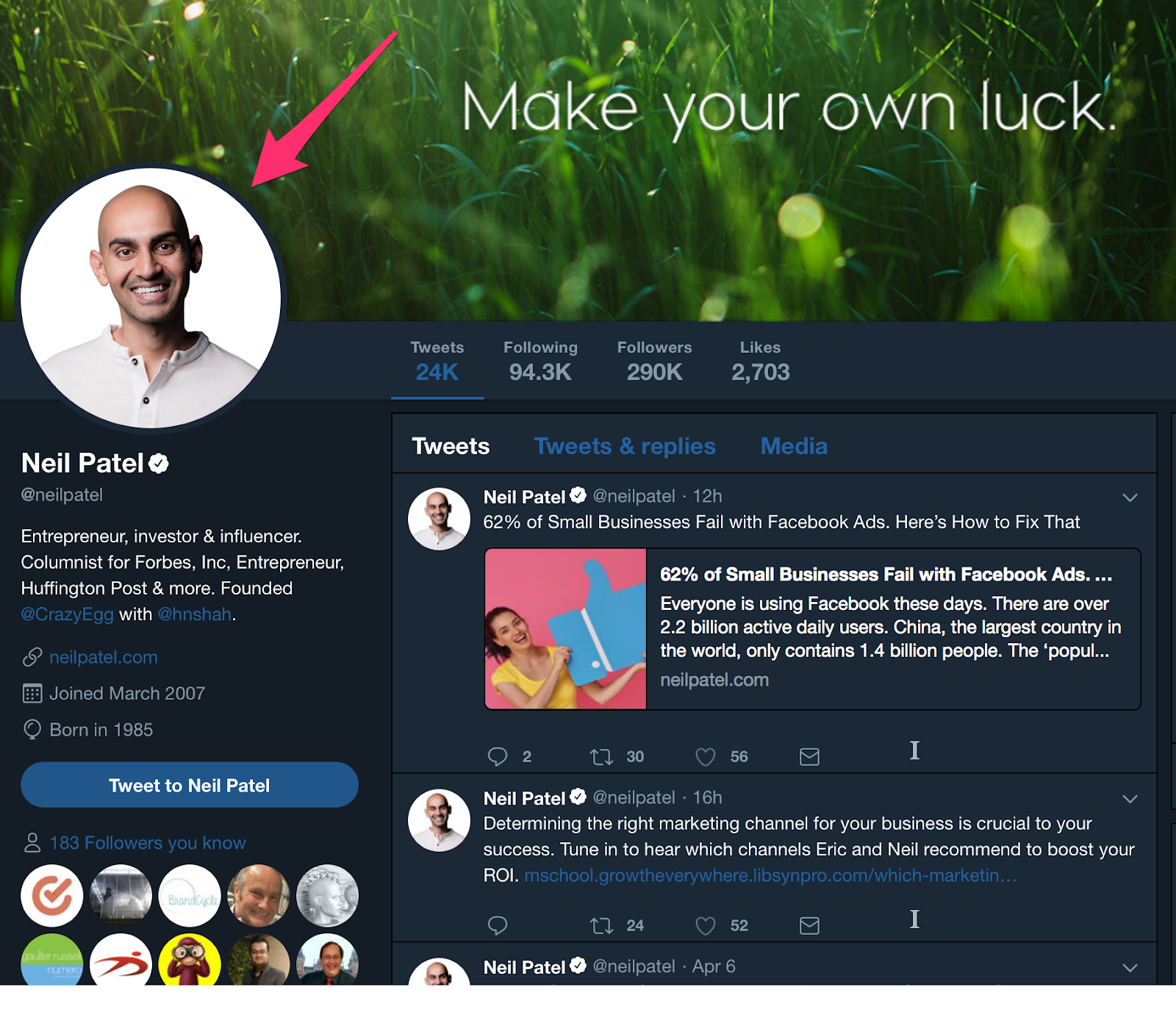
Your profile picture is the centerpiece of your Twitter profile.

twitter followers guide twitter profile example.

It’s the part of your Twitter profile people probably notice and look at first.

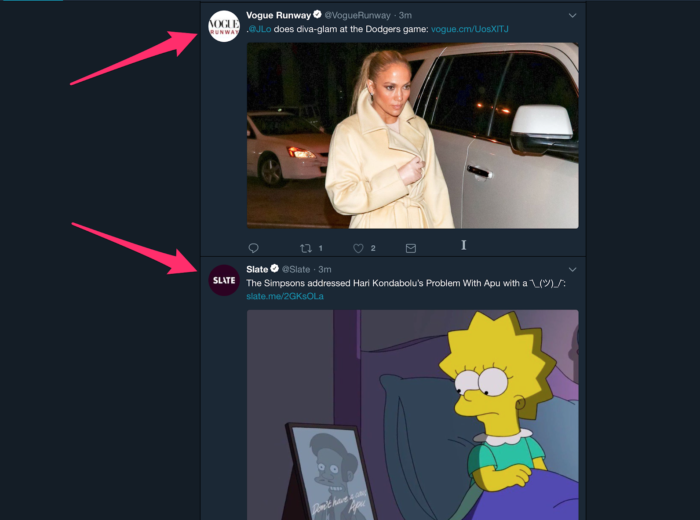
Aside from your username, it’s the one profile element that doesn’t just appear on your profile. It’ll show next to your tweet in the other users’ feeds when you post.

twitter follower guide example of twitter profile image in tweets

So, choose a photo that’s appropriate for your business or brand.

Whether you’re using a professional photo of yourself or your brand’s logo, you want to make sure that the most important elements appear toward the center of the image.

Due to the circular format, anything that appears toward the edges of your profile photo won’t show on your profile.

twitter followers profile image is circular

It’s even a good idea to resize your image. Although you can upload higher-res files, your profile image doesn’t need to be any bigger than a 400px by 400px square.

Here are some examples of how these profile image best practices can be implemented:

Bitfinex — a cryptocurrency exchange company — uses their logo for their profile image.

Bitfinex bitfinex Twitter profile image

Similarly, you can see New York Magazine’s iconic logo as the profile pic used for their Twitter account.

New York Magazine NYMag Twitter follower guide

However, Virgin Group founder and colorful businessperson Richard Branson uses a photo of himself. The photo looks professional yet casual and relatable.

Richard Branson richardbranson Twitter profile twitter follower guide

Not only is this smart for promotional purposes, but it also helps people make stronger associations between your brand and logo.

Your profile photo should draw attention because it will be the identity that your followers will come to see behind all the content you post on Twitter.

Using a branded logo as a profile image, like Louis Vuitton, is an easy and quick way to get followers to recognize your posts instantly.

louis vuitton twitter profile pic twitter follower guide

Beyond the profile photo, there’s the ‘Bio.’

This is the area of your Twitter profile where you provide a little — just 160 characters in total — information about your brand or business.

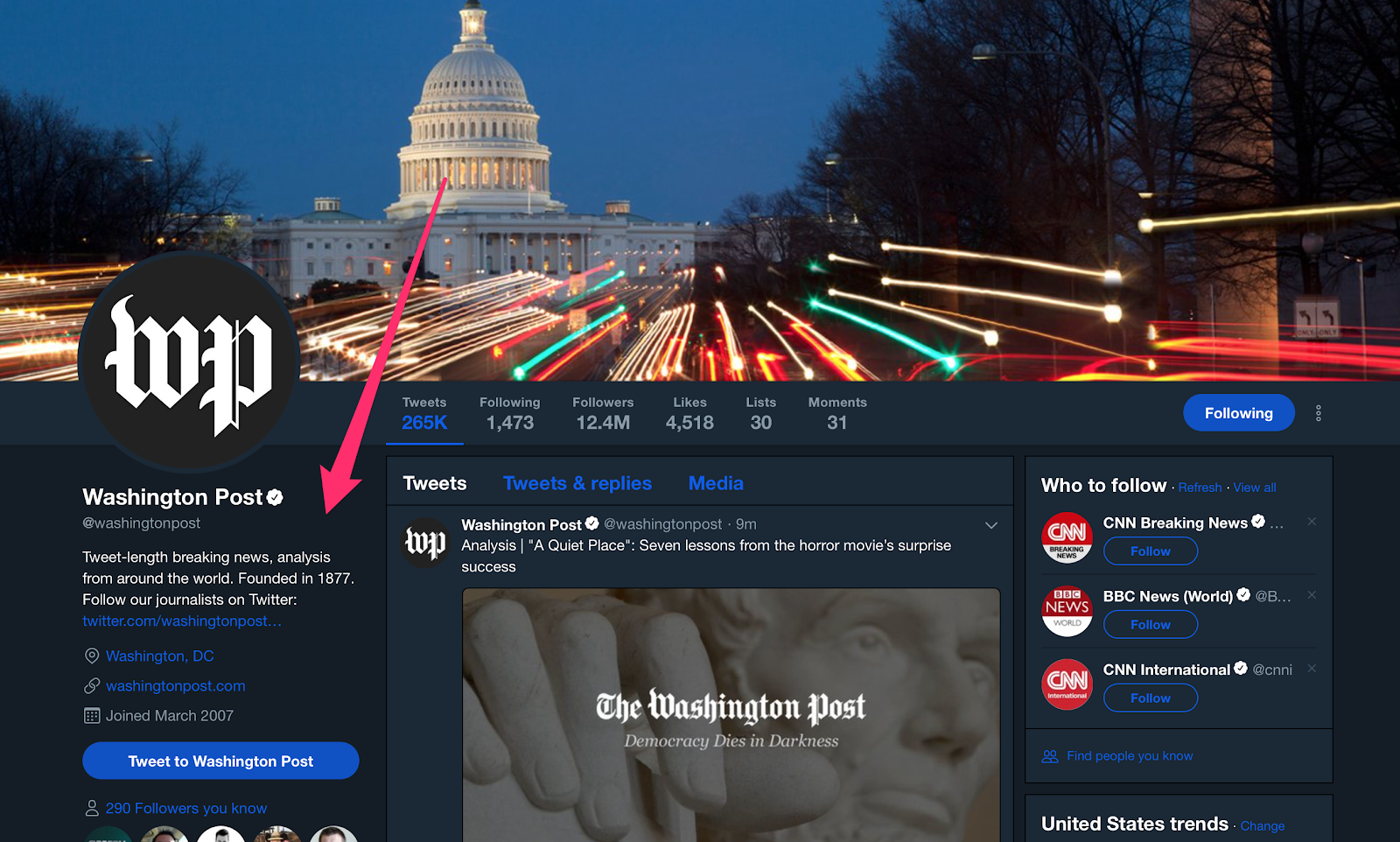
Here’s an example from the Washington Post’s Twitter profile:

Washington Post washingtonpost Twitter follower guide

As you can see, the goal of your profile is to give a prospective follower an idea of (a) what your business is and (b) what they can expect by becoming a follower.

There’s another reason why your bio is important: it’s searchable.

Of course, you’ll want to include all the essential info, such as your website, location, and possibly a phone number.

You’ll want to include keywords that are relevant to your brand or company in your bio.

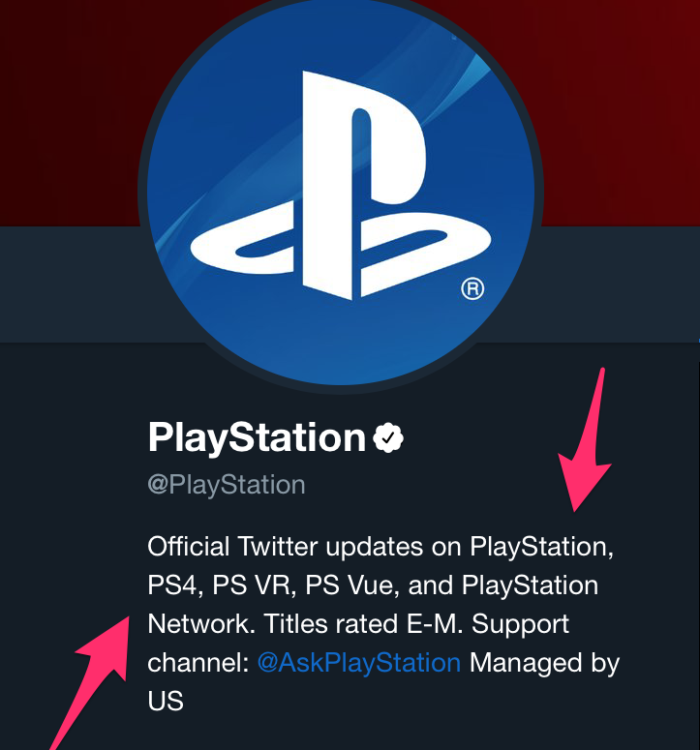
PlayStation does this well.

playstation bio example twitter follower guide

PlayStation’s bio includes common variants of the company’s name as well as their products’ names, such as “PS4” for “PlayStation 4.”

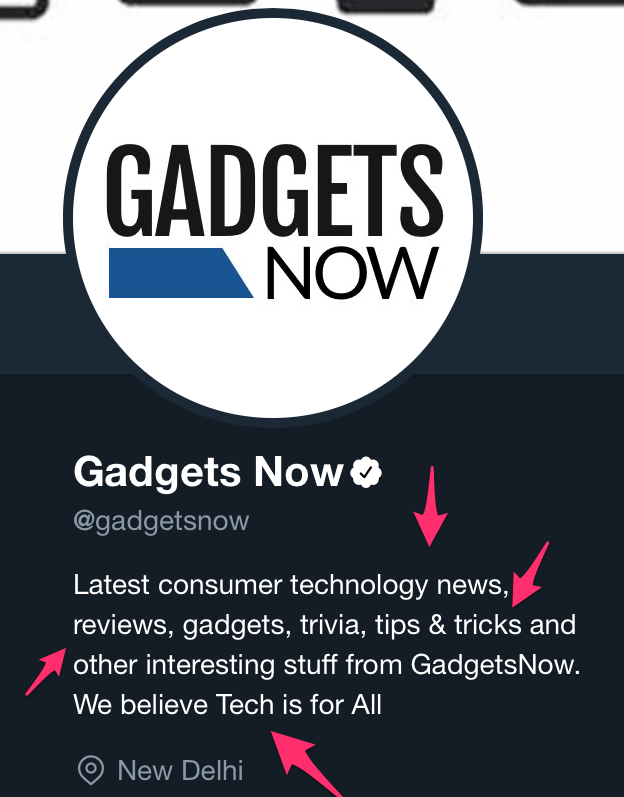
A consumer tech outlet called Gadgets Now uses keywords in the bio, too.

gadgets now twitter bio example use keywords twitter follower guide

Another element you can include in your Twitter bio is hashtags.

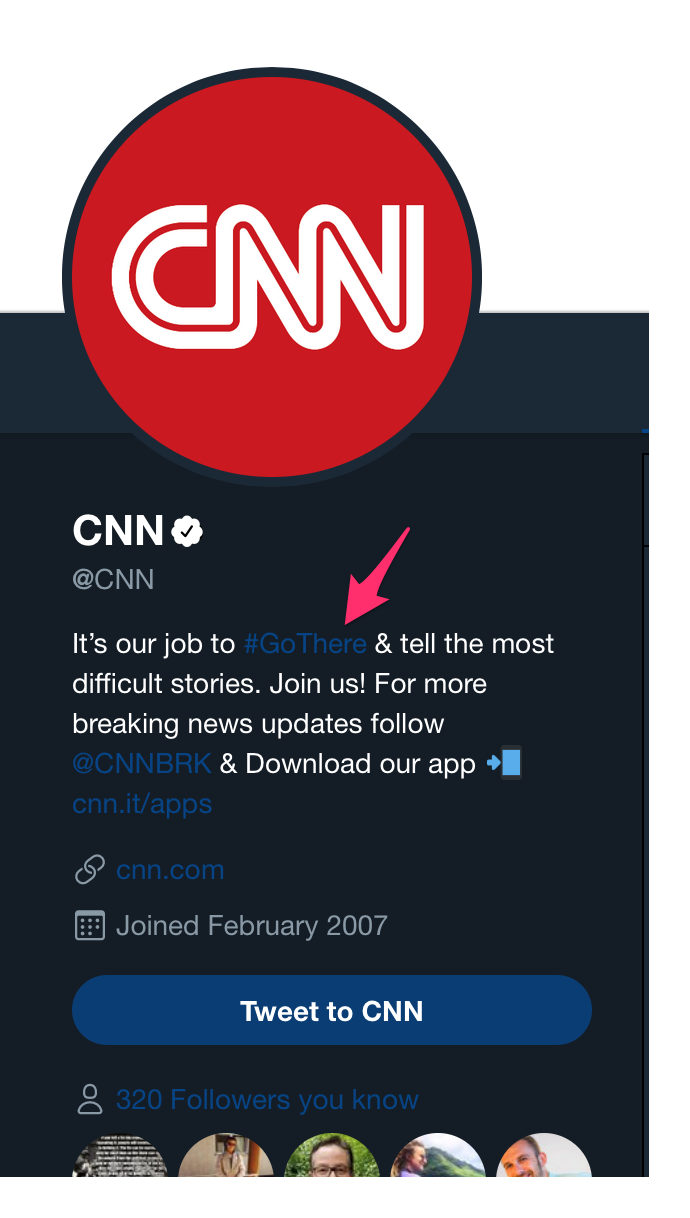
News network CNN incorporates a single hashtag in the bio.

CNN CNN Twitter followers guide

CNN’s hashtag is a great example because “Go There” is the slogan for the network, emphasizing ingenuity and tenacity in journalism.

So the hashtag reinforces the network’s desired brand image.

Your bio can be an opportunity to show some personality, so don’t be afraid to get a little creative.

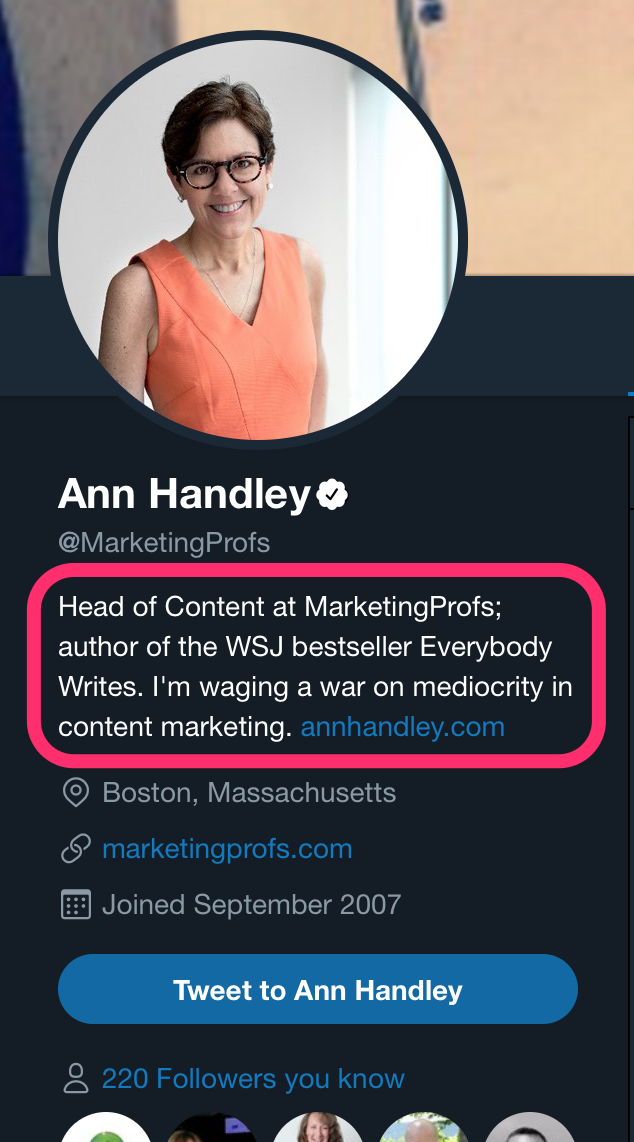
Content marketer and author Ann Handley’s profile is an excellent example.

Ann Handley MarketingProfs Twitter followers guide

Ann’s use of the phrase “waging a war on mediocrity in content marketing” is accurate and effective while also showcasing her personality.

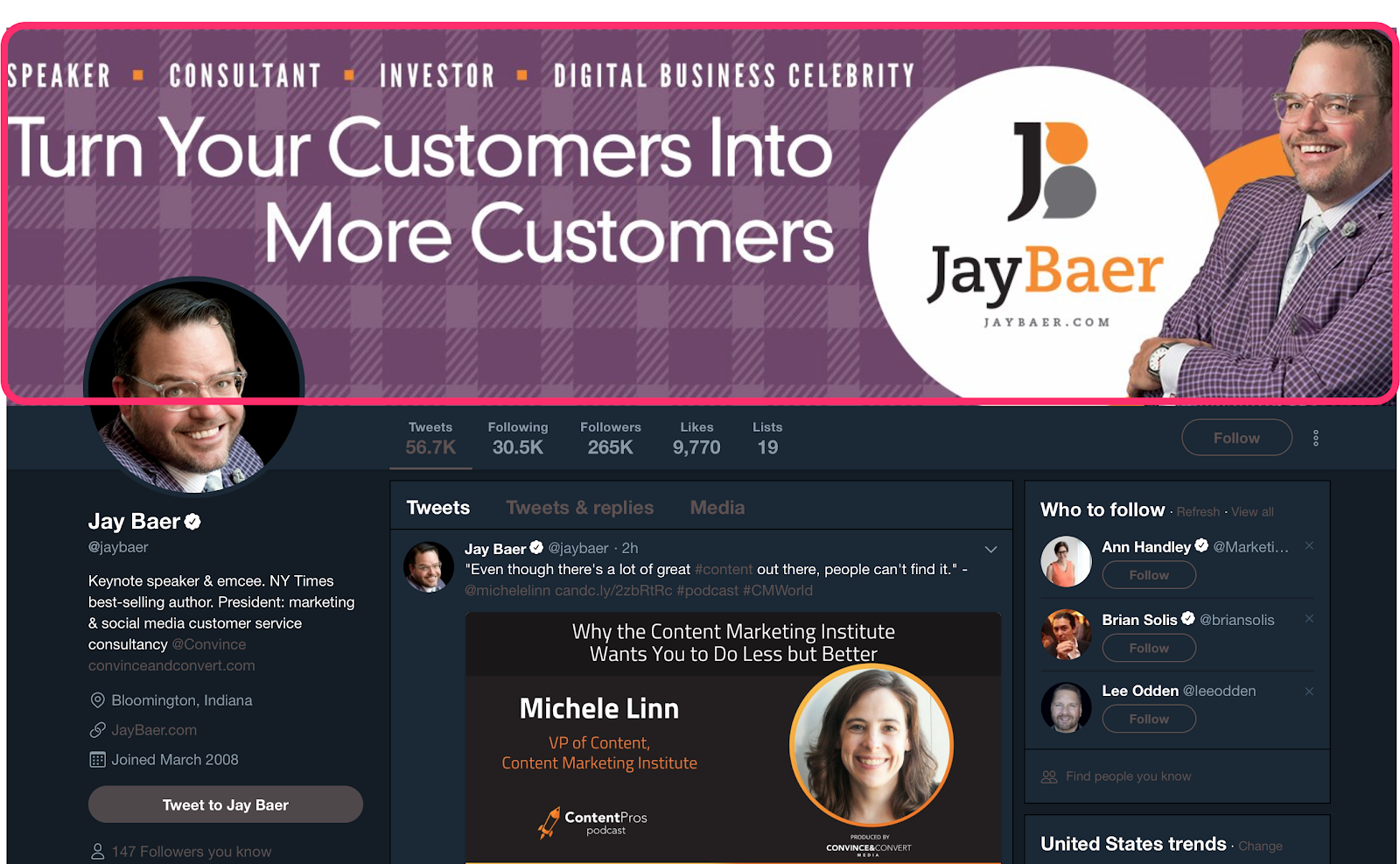
Once you've chosen your profile photo and written your bio, the next step in a great Twitter profile is to find (or even create) your header image.

Jay Baer jaybaer Twitter follwer guide

Though it changes from time to time, the current dimensions that your Twitter header image should be are 1500px by 500px.

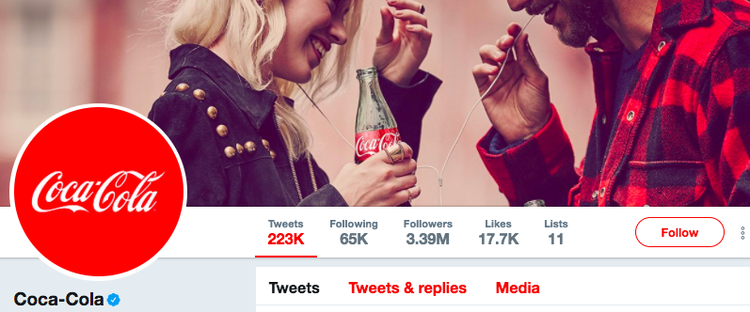
This can be a great opportunity to reinforce your brand or to promote your latest product or service.

coca cola twitter follower guide example

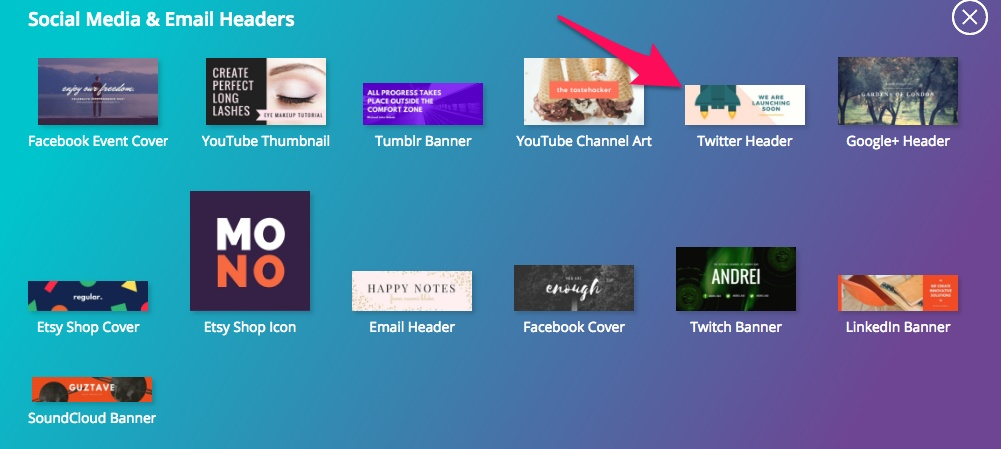
If you have trouble finding the right image with the appropriate dimensions, use a tool like Canva to create your own header image for free online.

Besides being free, Canva also offers tons of templates.

canva templates twitter followers

Now that you’ve spent some time ironing it out, your profile will leave a strong impression on visitors who view your profile, making them much more likely to follow you.

2. Engage With Your Twitter Followers

Although your follower count is a convenient metric, many social media marketers have begun putting more stock into engagement than followers.

In fact, Socialbakers account manager Jeraldine Tan actually considers follower growth an outdated metric.

“It is extremely important for brands to stop looking at outdated metrics like fan growth,” Jeraldine said in an article posted on LinkedIn.

“The overall fans number doesn’t matter if the audience isn’t consuming your content.”

So if you have a million Twitter followers but your posts get zero engagement, what are those followers really worth?

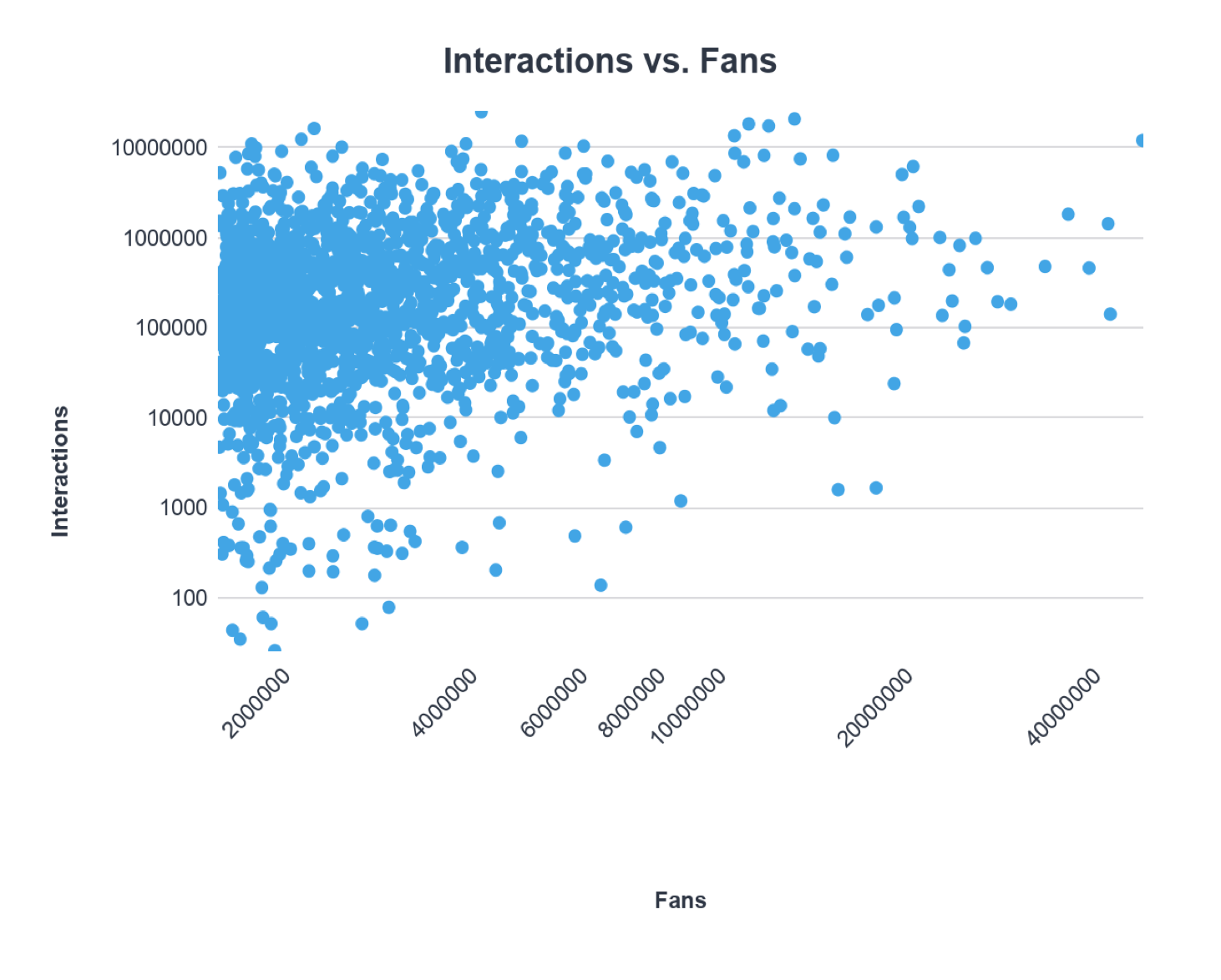
Jeraldine’s perspective is reinforced by Incite Group’s State of Corporate Social Media Survey.

0

According to Incite’s data, there’s no correlation between the number of followers and engagement, meaning that more followers doesn’t mean more engagement.

But when followers interact with and share your content on Twitter, their followers see that engagement and often become curious. The engagement serves almost as an endorsement.

So engagement does lead to increased reach and visibility, which, in turn, yields more followers.

However, interactions your followers are having with your Twitter content isn’t the only type of engagement you should care about.

twitter followers guide example of twitter engagement

If you really want to grow your Twitter audience, you should be actively engaging back with them.

Responding to the comments and mentions of your followers reinforces their engagement and makes them more inclined to engage with you in the future.

Engaging with your audience yields more tangible results, too.

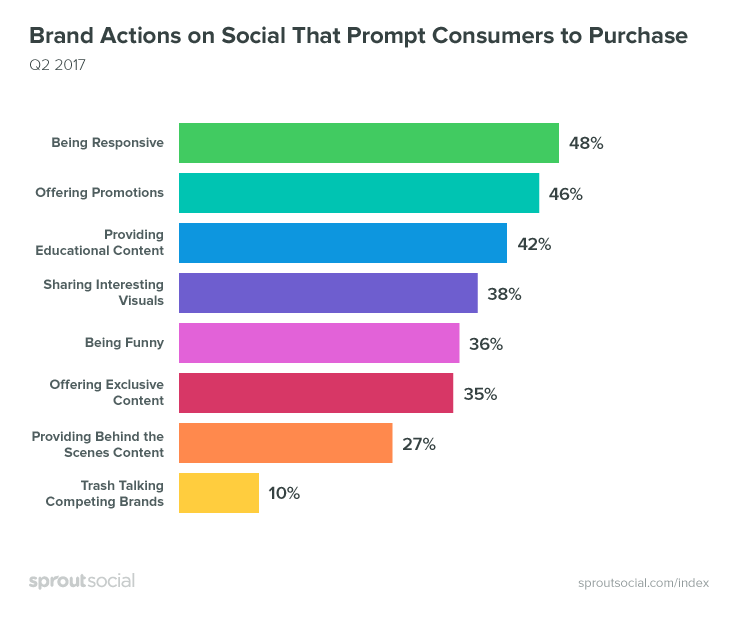
Brand social actions twitter follower guide

According to data from Sprout Social, 48 percent of social media users cite responsiveness as the top characteristic that prompts audiences to purchase from a brand or company.

Fortunately, engaging with your Twitter audience is easy to do and something you can start doing right away.

There are three main strategies for actively engaging with your audience:

Respond to Comments and Mentions

Responding is certainly the simplest and easiest of these strategies, but it’s also effective.

It’s as simple as this:

When a user tweets to you or comments on one of your tweets, respond.

The acknowledgment will give them a sense of validation.

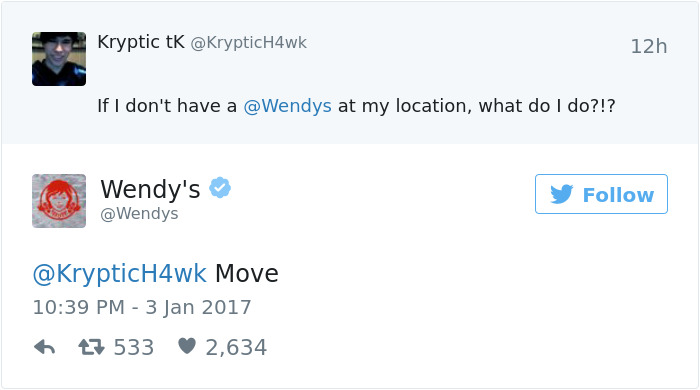
If you can make the exchange memorable in some way, they may actively seek out your content in the future. So don’t be afraid to show a little personality.

twitter follower guide wendy's response

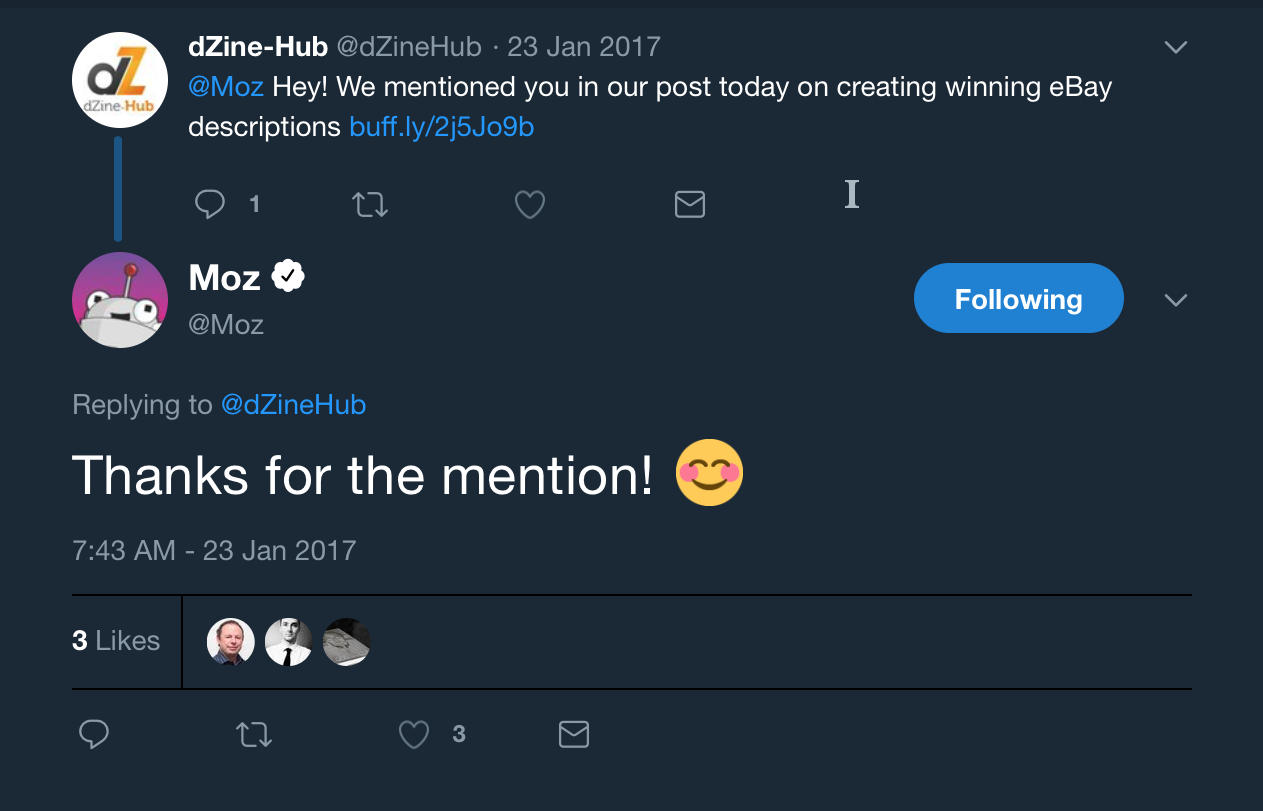
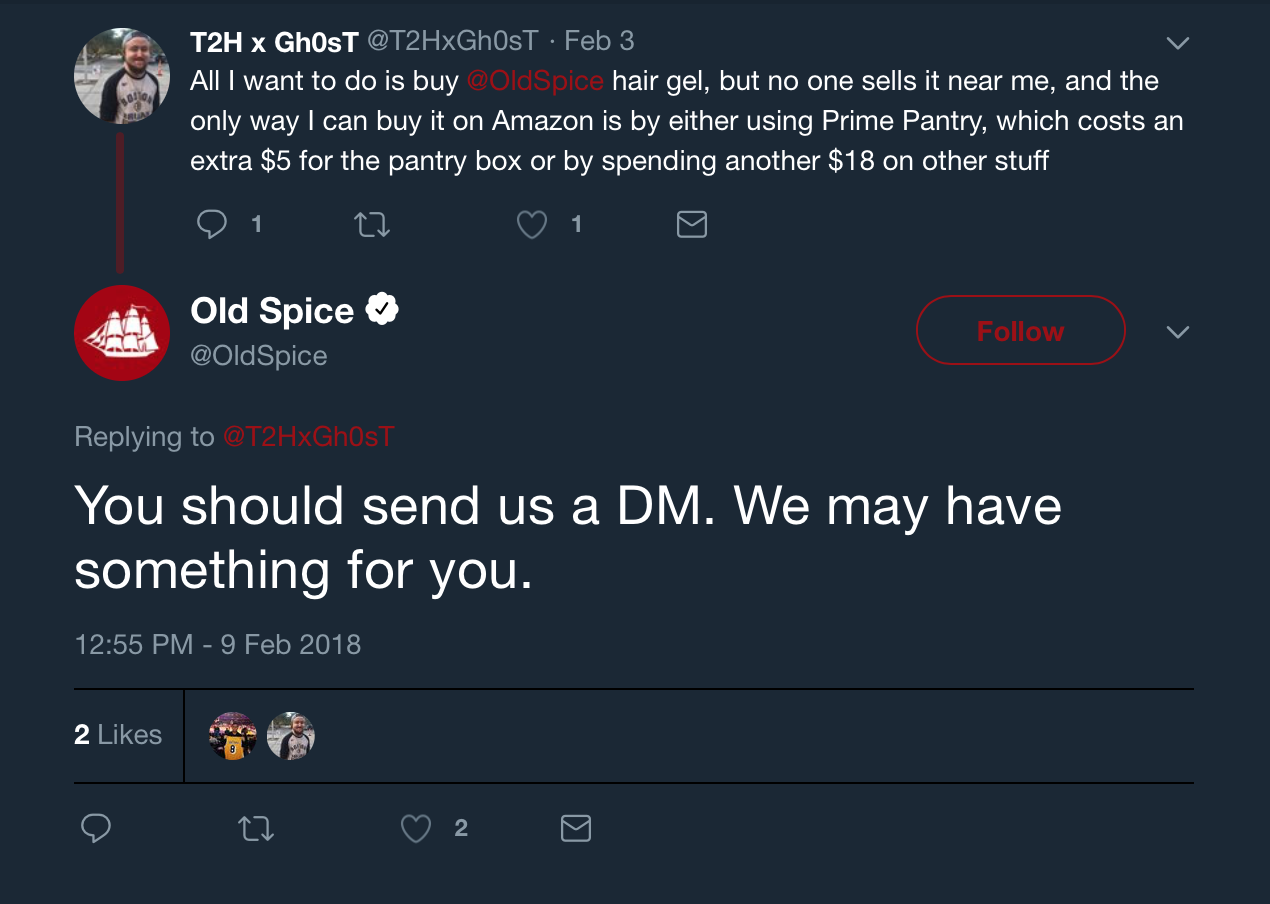
Don't just respond to other people's comments — pay attention to your own tags as well. Responses like these build good will and increase your reach on Twitter.

Old Spice reply twitter followers

Respond to Direct Messages from Twitter Followers

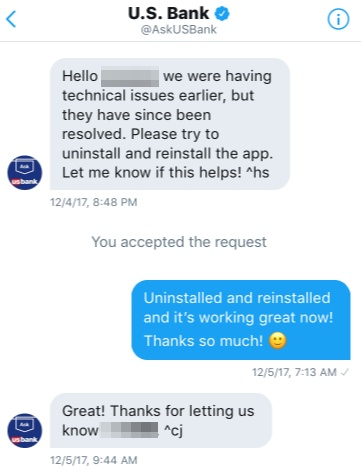
Take the time to respond to direct messages. Today, customers expect brands to monitor their social platforms.

pasted image 0 360

A lot of big brands and companies are finding success with DMs, including 1-800-FLOWERS and T-Mobile.

2. Host or Engage With Twitter Chats to Increase Twitter Followers

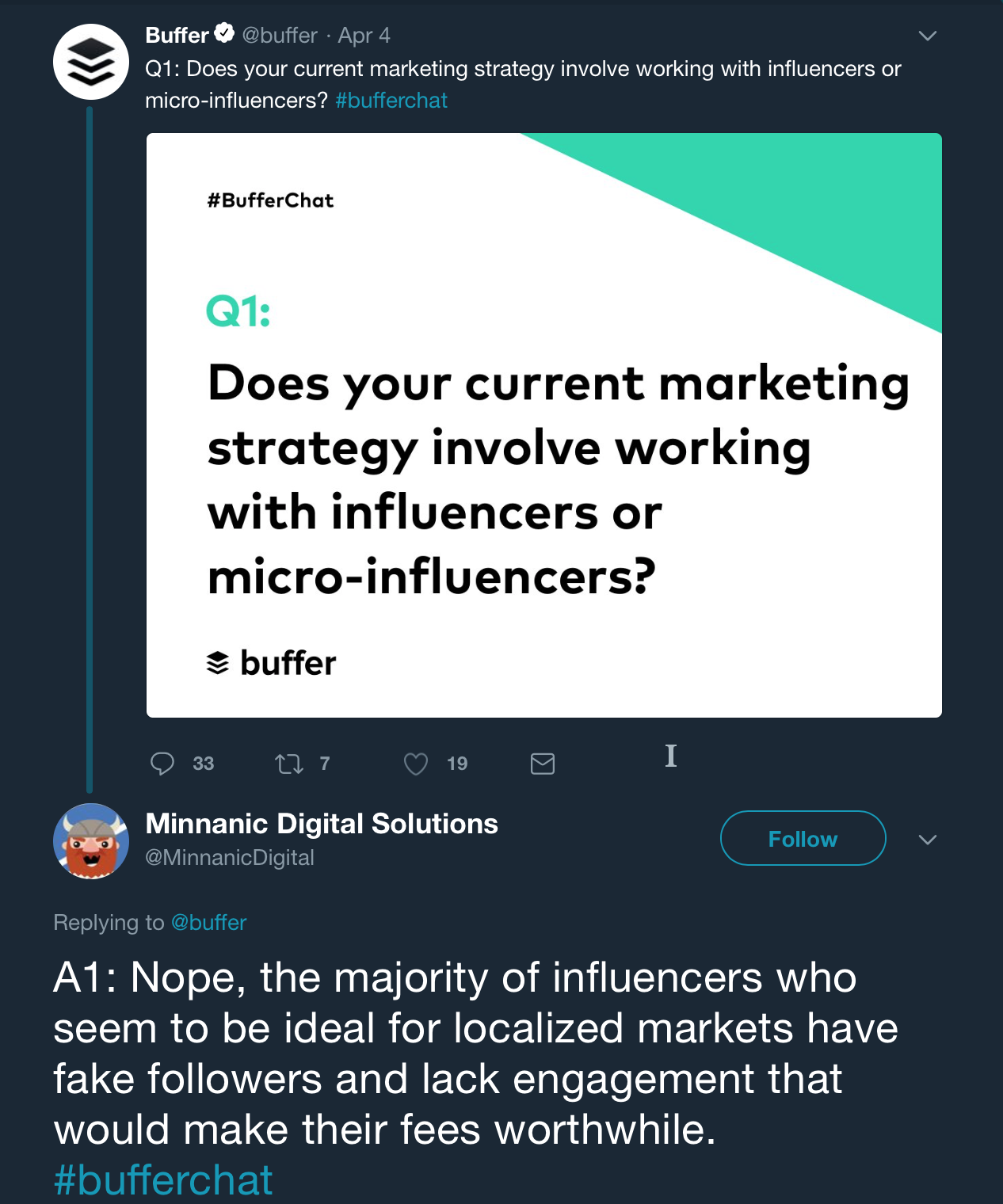
Twitter chats are live conversations that use a specific hashtag. They function sort of like a chat room, but are visible to a wider audience due to the use of the hashtag.

Buffer Chat session twitter followers guide

Public relations professional Janet Murray considers live chats an incredibly effective marketing strategy for Twitter.

According to Janet Murray, one way to get even more out of your live chat is to like and retweet other participants’ replies.

“Retweeting the posts of [other users] is a great way to build relationships,” Janet says.

She offers another useful tip: When you’re responding to other participants’ tweets, “don’t forget to use the hashtag so people can follow along.”

Or if you want to tweet someone privately, simply “don’t include the hashtag.”

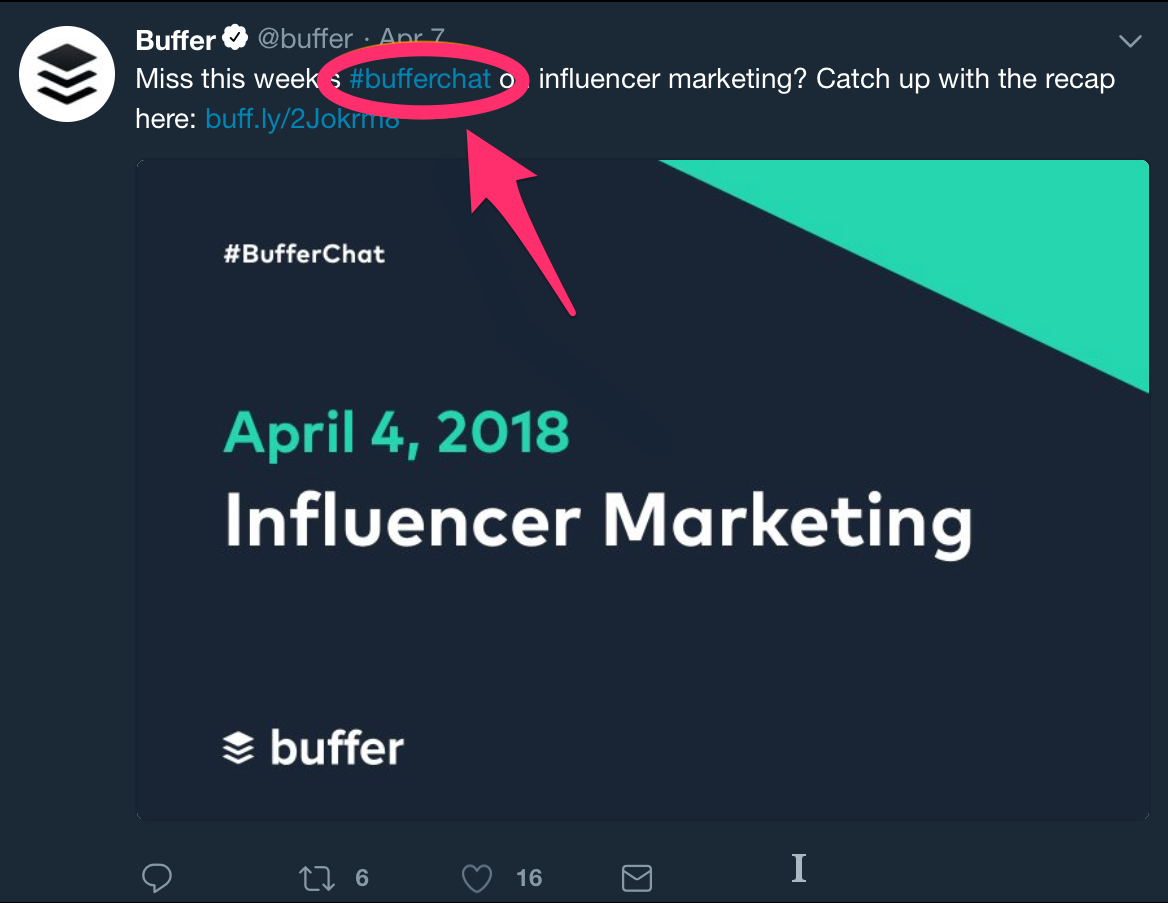
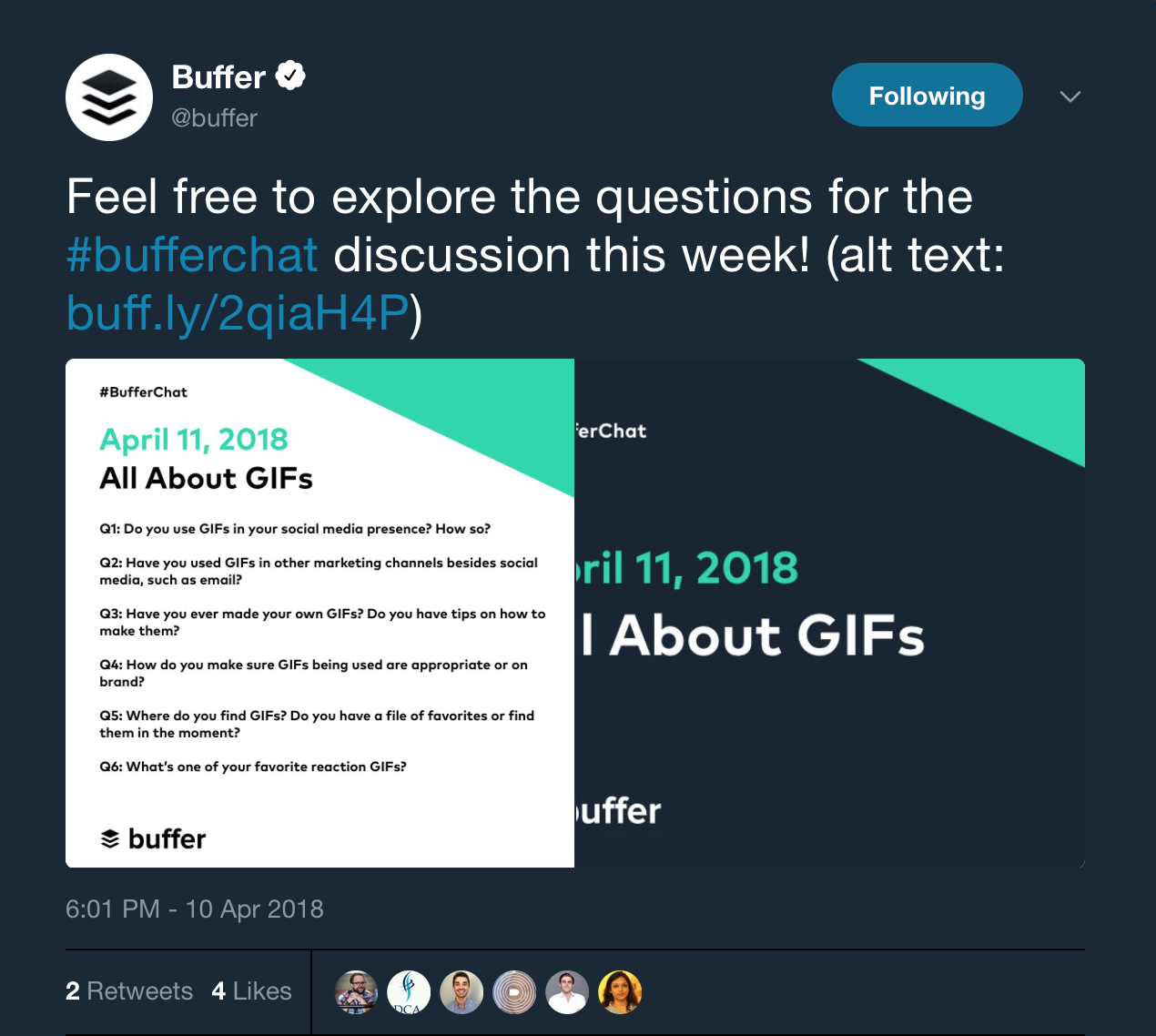
Buffer — a well-known social media management app — hosts weekly Twitter chat sessions using their own hashtag, “#BufferChat.”

buffer chat twitter followers guide

As far as actually hosting the chat, tools like tchat.io and Twchat can turn your hashtag into a more chat-like live stream.

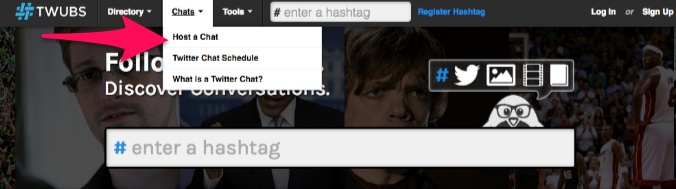
You can access the live Twitter chat directory on Twubs without even needing to register for a free account.

twitter follower guides

Additionally, you can put your own live chat on Twubs so that others can find it more easily.

Another tip is to either post your questions or ask your followers for some questions ahead of time.

Buffer Chat Questions twitter followers guide

When it comes down to it, actively engaging your audience reinforces the decision to follow you.

Plus, their own followers can see how interactive you are with your audience, which makes a strong impression at large.

3. Stay Active by Creating Daily Twitter Routines

If your goal is to gain followers, I can’t stress enough the importance of staying active.

It’s not enough to post a few times a week or even once per day like you probably do on Facebook.

You could even lose followers if you’re not tweeting regularly.

how often to post on social media infographic twitter followers guide

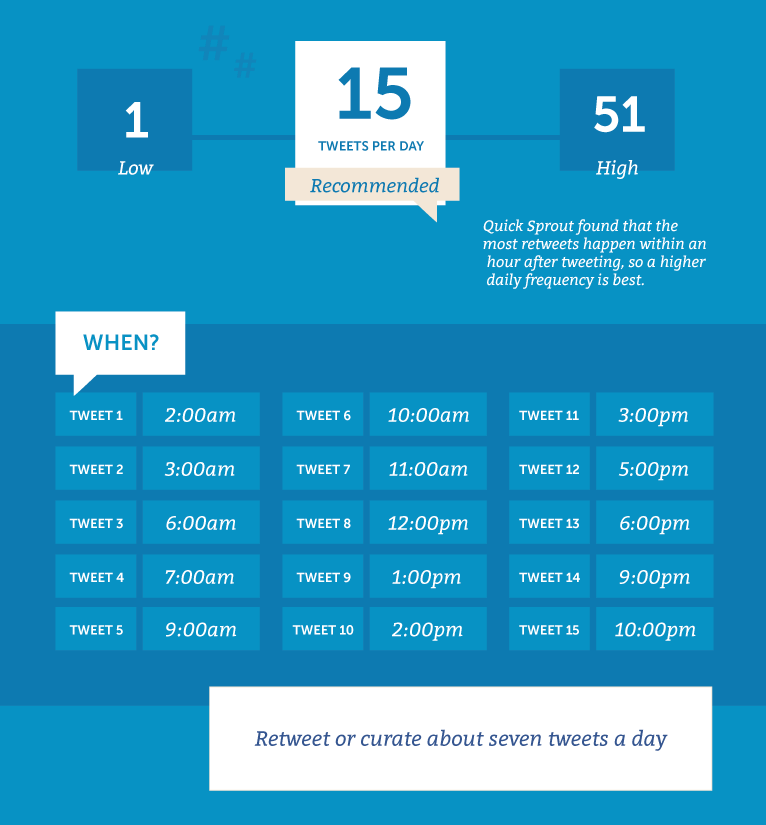
According to CoSchedule, you should post curated content — quotes and retweets — three to seven times per day. Including your own original content, it should be about 15 tweets daily.

Do you have time to sit on Twitter 24 hours per day to make sure you’ve got awesome tweets going out at all the right times? Probabley not.

That’s where your routine can be a life-saver.

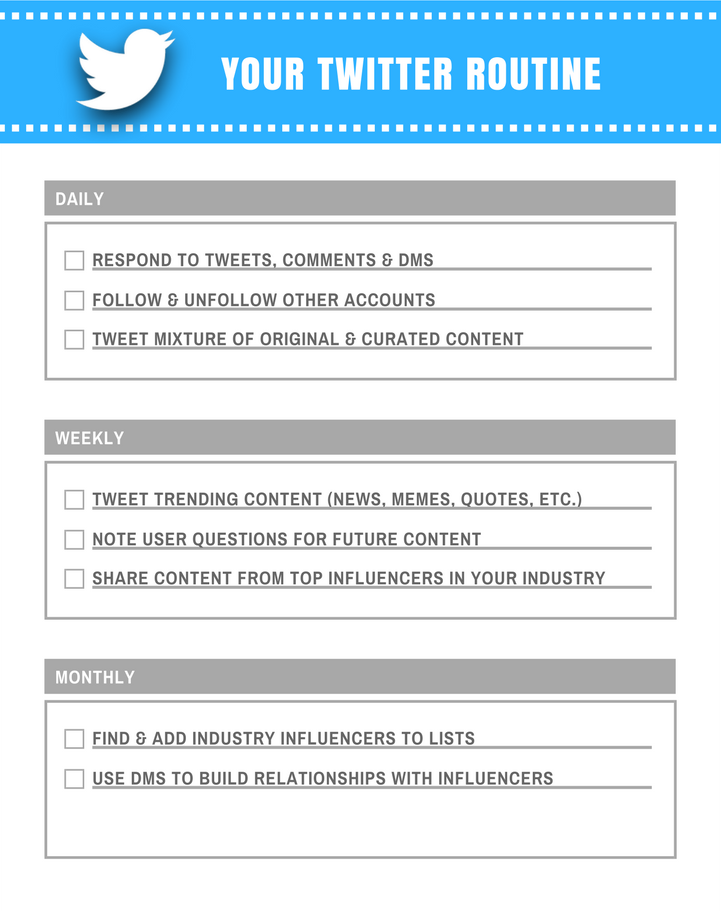
The best way to create your Twitter routine is to create separate daily, weekly, and monthly routines.

twitter schedule twitter followers guide

Automate and schedule out your posts in advance with a tool like IFTTT.

Your daily Twitter routine should consist of things like following and unfollowing other users, replying to DMs and mentions, and responding to comments on your tweets.

On a weekly basis, you should focus on broader and more long-term aspects of your marketing strategy.

Your monthly routine should include things that could result in big payoffs down the road.

As such, it largely includes networking with industry influencers, which tends to increase your Twitter reach and visibility.

4. Plan and Schedule Tour Tweets

Compared to a non-chronological network like Facebook, the time of day you post on Twitter matters.

If your tweets are posted when your followers aren’t on the platform, those tweets won’t be seen, and less visibility means less engagement, less traffic, fewer followers.

The logical solution to this problem is to post when the most users are on the platform.

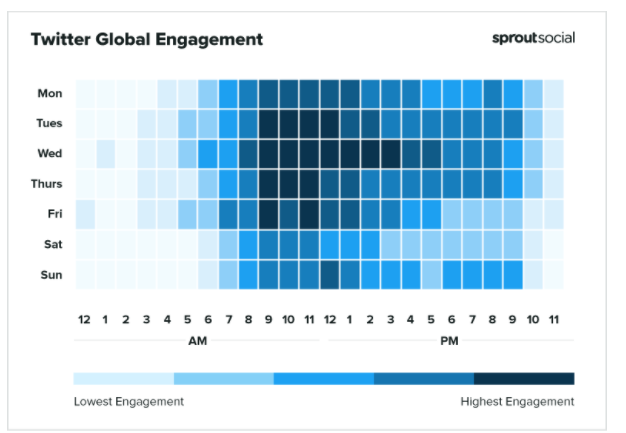
Sprout Social compiled data and found that average global engagement on Twitter is highest on Tuesday between 9 AM and 1 PM, Wednesday between 9 AM and 3 PM, Thursdays between 1 and 11 AM, and Fridays from 9 to 10 AM.

twitter global engagment twitter follower guide

The problem is you've got a lot of other tweets to compete with during those times.

That’s where knowing your audience comes in handy.

Different demographic groups have different usage habits when it comes to Twitter.

For instance, there are differences between businesses and consumers.

Twitter content that targets businesses — or B2B content — performs best during business hours.

Content that’s consumer-oriented — or B2C content — performs better on the weekend, according to CoSchedule.

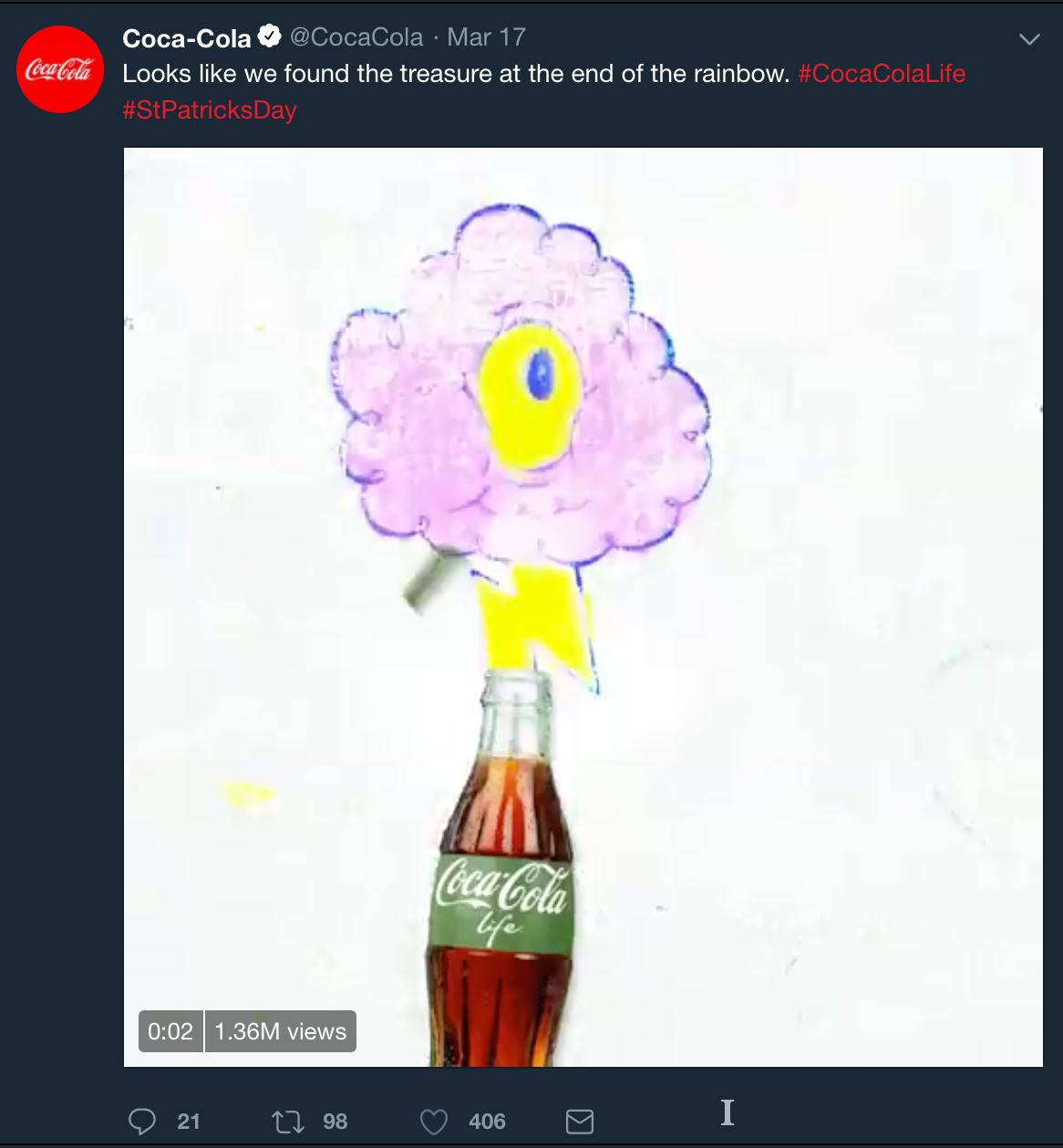
The same study also found that branded content does better overall on Wednesdays.

Branded content like this tweet from Coca-Cola:

Branded tweet twitter followers guide

Optimal performance on Twitter means knowing your audience and knowing when you can reach them.

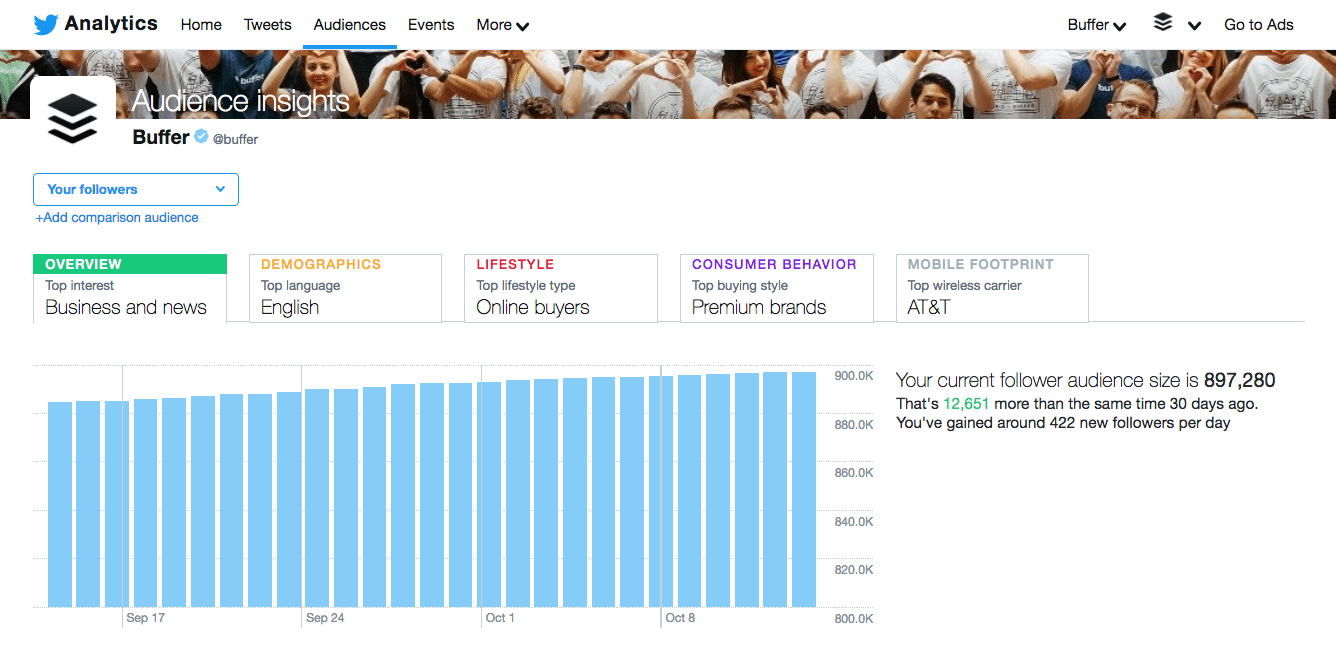
Twitter gives you an audience overview right inside the Twitter platform. With this information, you can tailor your content to your audience’s demographics and interests.

twitter analytics overview twitter follower guide

Just go to analytics.twitter.com for information about your audience, including what topics they’re into, what type of consumers they are, and even the wireless carriers they’re using.

With this information, you can choose the best times to tweet to your audience for optimal engagement and reach.

From this point, you can proceed in one of two ways:

You can make sure your daily Twitter routine coincides with your audience’s most active time of day, or you can schedule your tweets to post during that time.

Just know that you need a constant flow of content posting to Twitter, and the best resources to make that happen are readily-available data and possibly a tweet-scheduling app.

5. Make Sure There’s Value in Your Tweets

Twitter marketing is like any other type of marketing in that you’ll experience the greatest success with high-quality content.

With so much competition in most industries, great content helps you stand out from the crowd.

ihop twitter followers guide example

Great content is even more important when you’re trying to build your audience on Twitter.

It’s as simple as this:

Good tweets get likes, comments, shares, and followers. Bad tweets don’t.

So what separates a good tweet from a bad tweet?

Value.

Every time you tweet, you must provide value to your audience.

Because when your content is deemed valuable and relevant, your audience is more likely to connect with your brand.

Isn’t value subjective?

Yes, but only to the extent that what’s considered the most ‘valuable’ can vary from one person and demographic to the next.

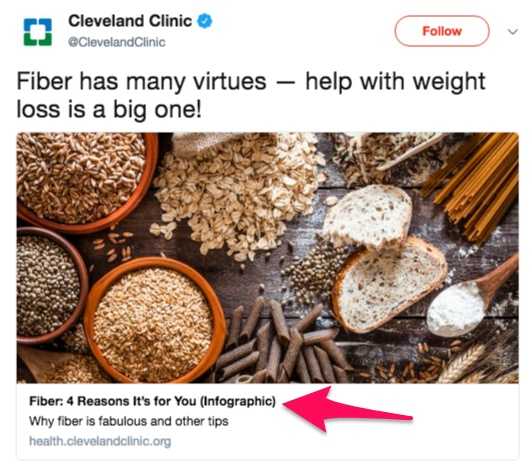
It’s no lie that people tend to prefer content that’s informative or educational.

This can include an infographic, how-to article, or even current events coverage.

twitter follower guide infographic example

Others put more value on entertainment.

This can include things like memes, gifs, funny videos, or even the actual entertainment industry.

funny twitter example Twitter followers guide

Then there are those who want to be inspired.

Inspirational content largely equates to popular quotes as well as inspirational true stories (weight loss, rescued animals, etc.).

twitter inspirational content examle twitter followers guide

Don't forget interactive content.

Interactive content refers to things like polls, quizzes, web browser-based games, etc.

Interactive twitter content

Another common type of content on Twitter is promotional.

Typically, promotional content consists of advertisements, coupons, customer testimonials, etc.

Coupon twitter followers guide

Each of these types of content represents a particular perspective in regards to value.

When people find value in your tweet, it gets more engagement. That’s just the way it works.

twitter valuable example twitter followers guide

Of course, this is another reason why knowing your audience is important.

You gain a better sense of what they find valuable and can personalize your content accordingly.

6. Pick the Right Tweet to Pin to Your Profile

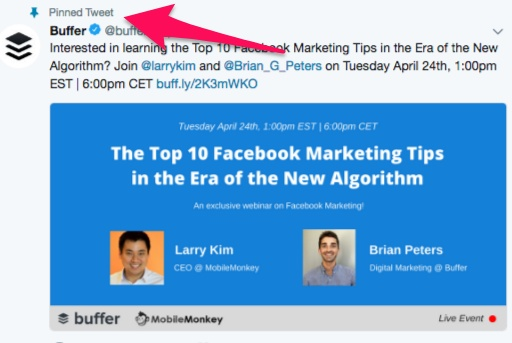
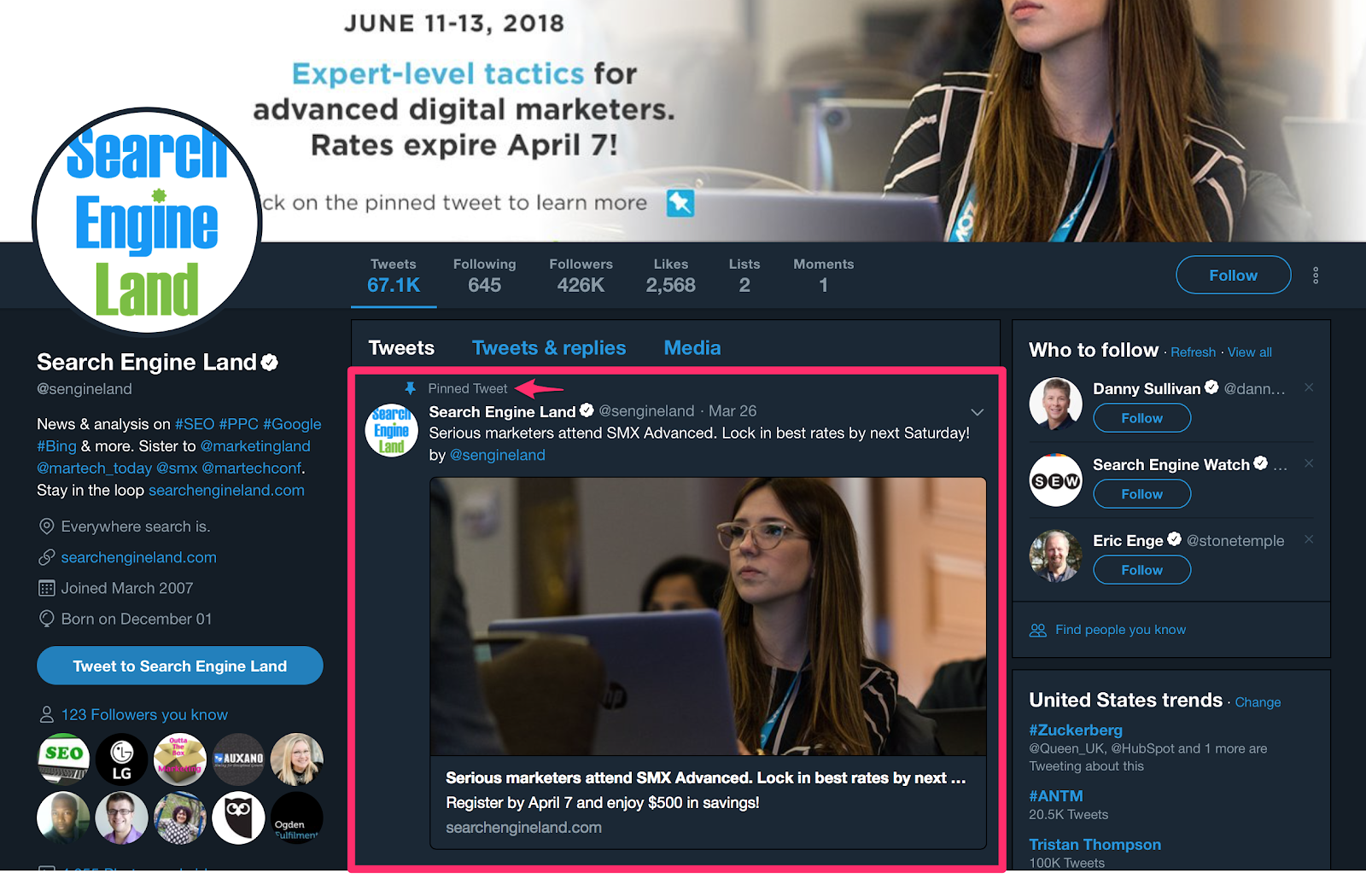
Pinning a tweet is like putting a spotlight on that tweet, calling the attention of anyone who visits your Twitter profile.

There are a couple of ways you can approach choosing the right tweet to pin to your profile.

The first strategy is to pin a tweet that has performed particularly well.

If it gained lots of attention from your followers when you initially posted it, the tweet will probably appeal to others who are visiting your profile.

twitter follower guide pinned tweet example

It will certainly get more views and is likely to get more likes, comments, and shares as well.

Since new tweets push older tweets further down in your timeline, your newer followers are unlikely to ever see your best ones.

Pinning a tweet that was well-received by your followers will ensure that profile visitors and potential followers get to see it, too.

It’s also common to pin a tweet that highlights a temporary promotion or an upcoming event that your business is involved with.

Pinned tweet twitter follower guide

When the promotion or event is over, you simply unpin the tweet and pin a new tweet for your next one.

Another strategy for choosing the right tweet to pin is to pick a tweet that promotes your business or brand.

For example, if you tweeted a link to an interview you participated in.

tweet an interview twitter follower example

In effect, it’s actually someone else’s promotion of your brand or business, but you’re pinning it to highlight the value that others have placed on what your brand offers.

Much like a job interview or a business pitch, a pinned tweet gives you a small opening to make a big impression.

7. Link to your Twitter Account on Your Website and Other Social Media Profiles

It may seem counterproductive to be diverting traffic from your website to your Twitter profile.

After all, don’t you want traffic going to your website so they can make a purchase?

But surveys show your social media profiles are just as effective for content marketing as your own website.

Barchart accessing consumermarketing Twitter followers guide

This makes a lot of sense.

So to a large degree, sending traffic to your website actually gives you more opportunities for conversion.

Of course, you don’t want to simply drop a raw link into the body of your website.

Instead, you should link to your Twitter profile in a way that’s a bit more professional.

It could be as simple as attaching the link to an icon.

twitter icon twitter followers guide

If you want something a little fancier, you could even link to your Twitter profile by embedding a tweet into your website or blog:

embedded tweet example twitter followers guide

Simply go to publish.twitter.com where you’ll find options to embed a grid, tweet, timeline, or a button.

twitter publish twitter follower guide

All you need to do is copy the link you want to use and paste it into the prompt at the top of the page.

twitter embed twitter followers guide

Similarly, you should link to your Twitter profile on other social media.

For example, Facebook gives you the option to include your Twitter username in a specific section of the ‘About’ section on your Page.

facebook prfofile add twitter prifole

It gives any of your Facebook followers who also happen to use Twitter the ability to access your Twitter profile easily.

Because if you have people following you on other social networks, there’s a good chance that any of them using Twitter would want to follow you on that platform, too.

Gain Twitter Followers FAQs

What does my Twitter profile need to increase followers?

Make sure all available fields are completed, like your URL, name, and bio. Include applicable keywords or hashtags in your bio to get found by people searching.

How can I engage with my Twitter followers?

Engagement leads to increased reach and visibility, so be sure to answer mention tweets, participate in Twitter chats, and reply to tweets from accounts you follow.

How often should I tweet to increase Twitter followers?

Many studies recommend tweeting 5-15 times per day.

What should I tweet about?

Make sure your tweets offer value to your audience, either through knowledge, humor, customer support, and answering questions.

How to Get 10,000 Twitter Followers Conclusion

Twitter is an international platform with millions of users. It’s just as valuable (if not more valuable) for racking up an audience than sites like Instagram or Facebook.

Getting as many as 10,000 Twitter followers doesn’t have to be hard.

First, you need to optimize your profile. Add a high-quality profile picture, since it’s the first thing people will see when they come across your brand on Twitter.

Complete your bio and don’t forget a header image, too.

Start engaging with your followers by responding to comments, mentions, direct messages, and live chats.

Create a Twitter routine you can stick to. If you aren’t active, your engagement will dip. Make a daily, weekly, or monthly Twitter schedule.

Make sure that what you’re sharing is valuable. Share interactive content, like a poll, quiz, or infographic for best results.

Pin a relevant tweet to your profile. If you have an ongoing promotion or upcoming event, tweet about it and pin it to the top of your page.

Finally, be sure to link your Twitter account to your website and on your other social profiles for maximum exposure.

Each of these steps will result in substantial growth but put them together, and you are likely to see some pretty phenomenal gains.

What are your favorite Twitter follower growth hacks?

————————————————————————————————————————————–

By: Neil Patel
Title: How to Get More Twitter Followers Fast (7 Easy Steps)
Sourced From: neilpatel.com/blog/gain-twitter-followers/
Published Date: Thu, 24 Jun 2021 12:00:00 +0000

Filed Under: news

Longtail Keywords: How-To, Strategies, Tips

By Peter

How do your website visitors find you?

If they’re clicking to your site from the search engines, chances are they’re finding you through longtail keywords. This free traffic is a huge bonus for your business, and understanding how to integrate longtail keywords better can help you do this.

Here’s how you can integrate longtail keywords in 2021.

What Are Longtail Keywords?

Longtail keywords are long, specific queries letting search engines know not just what words searchers want to know about but why they want to know them.

For example, “longtail keywords” is a keyword; “what are longtail keywords?” is a longtail keyword.

When you run your keyword research, it’s easy to be attracted to the short tail or head keywords. These are the keywords like “SEO” or “keywords,” and they’re likely to have a high search volume, attracting the attention of many marketers.

Where there’s search volume, there’s lots of competition. Longtail keywords with slightly less volume tend to be a little easier to rank for.

Why Should You Integrate Longtail Keywords in Your Blog Posts?

What do you want from your content marketing?

The first thing is probably traffic, and after that, you want conversions. Longtail keywords can make a massive difference to your business in both of these areas.

Paid advertising is a great way to get your brand in front of your target audience, but there’s a catch. You’re paying for every click. If you can gradually replace those paid clicks with organic traffic, not only do you save money, you could see better results. In fact, Google’s Economic Impact Report states organic search is five times more valuable than paid search.

Searches of more than four words make up 95.88 percent of Google searches, meaning there are lots of clicks to be had. Because these searches are more specific, the people making them tend to have greater buyer intent.

Compare the two searches:

“Real Estate” vs. “4-bed real estate in Naperville.”

Which search indicates a buyer who is more ready to purchase?

Longtail keywords often indicate a searcher is well on the road to conversion, and that alone is a pretty strong reason to use them in your content.

How to Integrate Longtail Keywords in Your Posts

Longtail keywords are essential for any business. It doesn’t matter how authoritative your site is; the sheer volume of longtail keywords means they’re something you can’t ignore.

You can’t just take longtail keywords and try to stuff them into your content, though. Modern SEO is about providing the user with the best experience. To do this, you need to integrate longtail keywords into high-quality, relevant content.

1. Set Your Content Marketing Objectives

What do you want to achieve with your blog post?

Your honest answer can help you create user-friendly blog posts to rank more highly in keyword search results.

Copyblogger showcased 10 content marketing goals worth pursuing, including:

  • build trust and rapport with customers
  • attract potential customers to your marketing system
  • explore prospect pain
  • illustrate benefits
  • overcome objections
  • build your reputation with search engines

With hard work and patience, great content marketing can achieve any of these goals. The best approach is to choose one or two core goals that you want every piece of content to achieve.

Whatever your goals, if you want to attract new prospects, you have to find out what longtail keywords they use. This allows you to create valuable, evergreen content based on those longtail keywords.

Plus, longtail keywords likely play a big part in Google’s algorithm, so you need to understand how to align them with your goals.

Longtail keywords in Google algorithm pie chart

Generally, when potential customers find their long-tail keyword search terms in your post, it will increase engagement. It’s about matching user intent.

Longtail keywords and searcher intent

Longtail keywords can help you achieve different goals, so you should define what you want to achieve before starting writing.

2. Create Buyer Personas to Help You Understand User Intent

If you’re going to match user intent, you’ve got to understand the people searching for your products/services (your buyer personas).

Without a clear picture of what your buyer personas look like, you’re just guessing at what people search for and how they search for it. Instead, you want to have a clear image of how your target audience searches for information, why they look for it, and how you can respond to their queries.

Creating buyer personas is a simple way to help you respond effectively. It’s a representation of a specific ideal reader you’d like to attract to your blog or site.

Buyer personas for longtail keywords

Put yourself in the shoes of your buyer persona and ask yourself what questions they have, what information they’re looking for, and how they search for it?

You need to understand how your audience searches and use this information to match user intent by integrating longtail keywords.

3. Research and Select Your Longtail Keywords

You have to be picky about your longtail keywords.

Longer variations of your keywords may have lower search volumes than head keywords, but their conversion rates are usually very high.

Longtail keywords and buyer intent

Let’s find those long-tail keywords right now.

Step 1: Go to Ubersuggest, type your main keyword (e.g., car insurance), and click the “Search” button:

How to Integrate Longtail Keywords in Your Posts - Research and Select Your Longtail Keywords

Step 2: Click “Keyword Ideas” in the left sidebar:

How to Integrate Longtail Keywords in Your Posts - Use Ubersuggest to get keyword ideas

Step 3: Choose your long-tail keywords from the results list, by identifying keywords with four or more words.

How to Integrate Longtail Keywords in Your Posts - Find longtail keywords with Ubersuggest

Step 4: Filter the results in search of high volume, low SD long-tail keywords:

How to Integrate Longtail Keywords in Your Posts - Filter longtail keywords with Ubersuggest

For this industry, which is highly competitive, I set the SEO difficulty to no greater than 40 while keeping the search volume in the 2,000 to 7,000 range. Here’s what you get:

Not only are there 80 keywords meeting the criteria, but many of them are prime candidates. For example, “cheapest car insurance in Michigan” is desirable. Here’s why:

  • 5,400 monthly searches are more than enough to move the needle (more on this below).
  • A relatively low SD of 34 shows ranking on the first page is attainable.
  • A CPC of $37.89 proves it’s a high converting keyword (typically, the higher the CPC, the better it converts).

So, if you decide to target “cheapest car insurance in Michigan,” the next step is clicking on that keyword. Doing so displays the following:

Longtail keyword results with Ubersuggest

This is a list of the top search results for the keyword, complete with:

  • URL
  • estimated visits
  • links
  • domain score
  • social shares

A few things stand out to me:

  • Estimated visits per month for the top three spots are strong.
  • The average number of backlinks of page one results is 16.
  • None of the websites in the top five have done an outstanding job with social media.

In other words, this is a long-tail keyword you can win.

It’s important to remember that Google and the other search engines aren’t just about numbers, though. At its heart, Google is about the experience: giving people the information they need in a way they enjoy. Longtail keywords won’t get you where you want to go unless you understand user intent and can provide them with the experience they’re looking for.

This means your goal can’t just be to rank. It’s got to be to provide the user with the highest quality content that matches user intent.

The mindset of longtail keywords

SEO requires caring about your users and solving their problems. This is why smart long-tail keyword use helps you with search engine results, not hurts you.

To maximize your use of keywords, focus on two to three keywords, and don’t stuff them into your content.

4. Write the Content

Your content is there to help your visitors answer questions and solve problems, and keywords firmly take a back seat to this.

Having done significant research, make sure you’re using your longtail keywords to demonstrate your content matches user intent.

Longtail keyword pyramid

If you’re creating content matching user intent, you should be able to incorporate longtail keywords naturally. “Naturally” is the crucial element here.

Some marketers look at one keyword per 200 words as a good benchmark, but quality is far more important than quantity. For a 2,000-word article, I generally aim to use my keyword 10-20 times—but it's not a hard and fast rule. With some articles, frequent use of both standard and longtail keywords flows naturally; for others, you won’t use them as much.

As long as your content is good and your context is clear, you usually don't need to panic if your keyword only shows up less often.

Remember that titles and headings are essential parts of your content, so again, try to integrate your longtail keywords. This will also make it clear to the user that you match their intent, encouraging them to read on.

Again though, I can’t emphasize enough how important it is to be natural. In the early days of SEO, Google’s algorithms weren’t as sophisticated, and people did benefit from putting their keywords in at every opportunity. Today though, Google is super smart, and it’s focused on the value your content offers the user. If you’re keyword stuffing, you won’t get far.

Longtail Keyword Integration FAQs

What is considered a longtail keyword?

Longtail keywords are keyword queries of generally four words or longer and can demonstrate high buyer intent.

What are examples of longtail keywords?

Take the word “dogs” as your regular keyword. Longtail keywords might include “Labrador dogs for sale,” “How to look after a dog,” or “Why should I get a dog.”

How do you target longtail keywords?

You can target longtail keywords by creating valuable content answering people’s questions and helping them solve their problems.

Do longtail keyword phrases need to be exact?

Google is good at understanding semantics, which means it knows how words link together to create meaning. As a result, your longtail keywords don’t always have to be exact.

Longtail Keyword Integration Conclusion

Search engines want to see you provide your users with the best possible experience. To do this, you’ve got to understand your target audience and how they search.

Longtail keyword research should be a big part of your content marketing strategy. Successfully incorporating these keywords into your content will enable you to match user intent and give your visitors a great experience.

When you boost your traffic and engage users better by using the language they use to search, it can bring significant results for your website.

Have you had success with longtail keywords?

————————————————————————————————————————————–

By: Neil Patel
Title: Longtail Keywords: How-To, Strategies, Tips
Sourced From: neilpatel.com/blog/how-to-integrate-long-tail-keywords-in-your-blog-posts/
Published Date: Wed, 23 Jun 2021 13:00:00 +0000
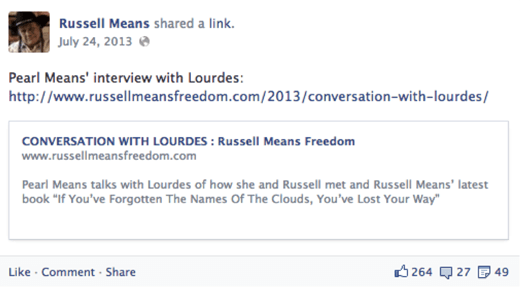
Filed Under: news

You Never Know When You’ll Make a Friend…

By Peter

You Never Know When You'll Make a Friend…

One of the side benefits of going to live events is meeting new people, and…

You never know when you're going to meet cool people that end up being your friends for LIFE!

I have a buddy, Dexter, who I met at a real estate conference back in 1996.

He and I formed a small mastermind as a result of that meeting. We’ve been best friends ever since (over 25 years)!

And…

The post You Never Know When You'll Make a Friend… appeared first on The Jim Edwards Method.

————————————————————————————————————————————–

By: Jim Edwards
Title: You Never Know When You’ll Make a Friend…
Sourced From: thejimedwardsmethod.com/you-never-know-when-youll-make-a-friend/
Published Date: Thu, 24 Jun 2021 12:18:11 +0000

Filed Under: news

Facebook Marketing: A Comprehensive Guide for Beginners

By Peter

With over 2.74 billion monthly active users, Facebook is the world’s most popular social media platform. From a marketing perspective, there are many opportunities to engage with new audiences and expand your company’s reach.  

How do you capitalize on these opportunities? By devising a Facebook marketing strategy. 

For beginners, this can all seem a little daunting but don’t worry. If you’re new to Facebook marketing, let me walk you through using the tools available to your advantage.   

What Is Facebook Marketing?

Facebook marketing is a catch-all term for the different ways you can market your business on Facebook. It includes: 

  • Facebook Ads
  • Business Pages
  • Facebook Marketplace
  • Facebook Groups 

There’s a marketing strategy for every budget, whether you’re looking for a free social media marketing solution or you want to set aside a regular sum for paid Facebook Ads. 

Why Should You Use Facebook Marketing?

Firstly, over 90 million businesses are already on Facebook. Around 1.88 billion users access Facebook at least once per day, and at least 17 percent of users join Facebook to connect with brands and products.

In other words, businesses are actively pursuing customers across this social media platform, so it makes sense to build your own presence there. 

What’s more, 45 percent of internet users across the globe turn to platforms like Facebook to find out more about products they want to buy. You can help them discover your brand by advertising effectively on Facebook.

Types of Facebook Ads

Facebook lets you choose from four main ad types. 

Image Ads

Static image ads are ideal for driving traffic to your website. 

They must be in JPG or PNG format, and the headline shouldn’t exceed 40 characters. Since you only have 125 characters for the main message, they’re best for clear and concise calls to action (CTAs).  

Video Ads

With video ads, you can showcase a product, promote customer testimonials, or boost your brand. Video posts, in general, have a 6.09 percent engagement rate on Facebook, which is impressive, but you’ll lose viewers if it’s a poor-quality video with an unclear message.  

Carousel Ads

With carousel ads, people can scroll through a host of images to see the same product from multiple angles. 

While this is great for e-commerce, carousel ads aren’t ideal for showcasing different products or listings e.g., properties in real estate marketing.  

Collection Ads

Image collections are great for showing products in your e-commerce store, but as with image ads, you’re limited to a short headline and a 125-character primary message, so they’re not suited for conveying much information. 

The ad type you choose depends largely on your campaign goal. For example, an image is great for driving home a visually compelling CTA, whereas videos are useful for engaging audiences. 

There’s no set cost for Facebook Ads, either. Since you bid on ad slots across the platform, how much the ad costs depends on how much you’re willing to pay to secure the slot you want.  

Steps to Start Facebook Marketing

To use Facebook Ads, it’s best if you set up a Facebook Page for your business if you don’t already have one. Set one up by heading here.

Access Ads Manager

First, you need to access Ads Manager. 

Ads Manager is the “hub” to create, manage, and track Facebook Ad campaigns. You can log in here.  

Choose Your Ad Objective

Next, determine what you want from your campaign by setting your ad objective. There are three categories to choose from:

1. Awareness Goals

  • brand awareness
  • reach

2. Consideration Goals

  • traffic
  • engagement
  • app installs
  • video views
  • lead generation
  • messages

3. Conversion Goals 

  • conversions
  • catalog sales
  • store traffic

Click the green “Create” button and choose your goal:

How to Start Facebook Marketing - Conversion goals

Name Your Campaign

A name helps you keep track of the campaign within Ads Manager. 

Once you’ve chosen a name, confirm if you want to test different versions of the same ad against each other using A/B testing. This is optional, and you can change your mind later. 

Move on to the next screen.

Set Your Budget and Schedule 

First, choose which Page to promote. This is probably your company’s Page.

Then, set either a monthly or daily budget for your Facebook Ad campaign, and determine when you want your campaign to start. You can set an end date, too.  

If you want, you can schedule your ad based on time zones to ensure your target audience is most likely to see it. For example, if you’re targeting a U.S. audience, you can run your ads during U.S. daytime hours, and so on:

How to Start Facebook Marketing - Set Your Budget and Schedule

Choose Your Audience

Build your target audience based on gender, age, location, and language. Once you’ve got a broad sense of your ad reach, you can customize your audience based on user behaviors and interests to improve your chances of reaching the right people. 

If you’re happy with your ad reach, move on.  

Select Your Ad Placements

Decide where your ad should appear. For beginners, you might be best choosing “Automatic Placements” so Facebook can determine where you’re likely to get the best traction.

If you’re more knowledgeable, you can customize placement based on, for example, device type, social media platform (Facebook or Instagram), and operating system:

How to Start Facebook Marketing - Select Your Ad Placements

Determine Your Brand Safety Controls

You can specify content you don’t want your ad to appear alongside, such as violent, sensitive, or offensive content. 

From this screen, you can also customize your bidding strategy a little more. For beginners, though, it’s a good idea to stick with the default options at first and make changes later if required.

Create Your Facebook Ad

Finally, choose your ad format, type in the ad copy, and enter your images or videos. Once you’re happy with the ad, click the “Publish” button to go live.   

Congratulations, you’ve created your first Facebook Ad!

Tips for Creating Great Facebook Ads

To get the most from your Facebook Ads, here are some tips to bear in mind. 

  • First impressions matter, so use quality, high-resolution images for every ad. 
  • Highlight your value proposition clearly and avoid overly busy, cluttered graphics.  
  • Keep your CTA highly visible and compelling to grab a user’s attention.
  • Bring your products to life by showing people using them in your video ads.   
  • Include user-generated content where appropriate to build a sense of community.
  • Make your videos and images vertical, so they display properly on mobile devices. 
  • Monitor which version of an ad works best by deploying A/B testing.

Examples of Great Facebook Marketing Campaigns

Want to see how businesses just like yours are making Facebook advertising work? Here are two companies putting some of the tips I’ve just outlined into action.      

The Teaching Company

To advertise its one-month free trial, The Teaching Company, a college-level course provider, ran a variety of image ads to appeal to different demographics:

Examples of Great Facebook Marketing Campaigns - The Teaching Company

The value proposition is clear, the CTA is unmistakable, and the company makes it easy for customers to sign up for the trial. As a result, the campaign generated 15,540 new subscriptions, which was 10 times more than its average monthly subscription numbers. 

The takeaway? Keep your ad fresh by switching out the images regularly, and always include a clear CTA.  

GoPro

To build hype around its HERO9 camera, GoPro ran a contest called the “Million Dollar Challenge.” In exchange for sending in raw GoPro footage from a HERO9 camera, people entered a contest to win a share of the $1-million prize pot. 

Twenty-nine thousand people entered the contest, over 668,000 Facebook users viewed the video, and 56 winners took home nearly $18,000 each. 

The lesson? Use video ads to bring your audience closer to your brand and reach diverse new demographics. 

Other Ways to Use Facebook Marketing to Grow Your Brand

As I explained earlier, Facebook Ads are definitely not the only way to grow your brand through the platform. If you’re looking to make the most of your Facebook presence, here are some other strategies to try out. 

Start a Facebook Group

Give your customers a place to interact by setting up a Facebook Group for your business. 

You can use Groups to:

  • build hype around products.
  • promote brand events 
  • start conversations about your business 
  • engage with your followers

It’s free to start a Facebook Group. 

Join the Facebook Marketplace 

If you sell products online, check out the Facebook Marketplace. The Marketplace lets you quickly connect with potential customers who are already primed to buy, and you can also reach local buyers more effectively through highly targeted listings.

It’s free to list on the Marketplace, too. 

Use Your Business Page

Your Facebook Page is essentially a free marketing tool. 

At the most basic level, you can use it to share content and engage audiences. However, depending on your business type, you can also use it to:

  • set up appointments 
  • answer questions
  • share promotions
  • nurture people to download an app.    

What’s more, you can link to your Marketplace listings to help turn Page visitors into loyal paying customers. 

How to Track the Success of Your Facebook Marketing Campaign

When you run a Facebook marketing campaign, you want to track metrics such as:
– ad impressions
– ad frequency
– click-through rate (CTR)
– conversion rate
– cost per conversion

Facebook offers three main tools for tracking metrics like these: Ads Manager, Events Manager, and Facebook Business Suite. 

  1. Ads Manager

    The Ads Manager “reporting” feature lets you view, at a glance, how your ads are performing. From video ad views to website conversions attributed to a Facebook Ad, you can view all the relevant stats by creating a report. 

    To create a report, simply open Ads Manager, go to “Analyze and Report,” click “Ads Reporting,” then select the data you want to report on:
    facebook marketing guide ads manager

  2. Events Manager

    With the Events Manager tool, you can set up a pixel to analyze what actions people take on your website. 
    For example, whenever someone adds an item to their cart or completes a sale, the pixel records this as an action or “event.” You can view this data in a report and then target these users with customized ads in the future. 
    Access Events Manager here.  

  3. Facebook Business Suite

    The Facebook Business Suite lets you quickly view key data about your Facebook account, including:
    -audience demographics  
    -post and content engagement
    -paid ad performance

    What’s more, if you have an Instagram account, you can access key insights through the Facebook Business Suite, which helps you unify your social media metrics tracking. 

    You can also use alternative tools like Google Analytics to measure ad performance and conversions if you prefer.

More Facebook Marketing Resources

Need some extra help with your Facebook marketing? Here are some other resources to read. 

  • Facebook Business Help Center: The Help Center has a range of guides and troubleshooting articles to help you navigate the platform.
  • Facebook Blueprint: Facebook Blueprint offers online courses and training programs to help you build effective campaigns.   
  • Shopify Blog: Do you run an e-commerce store? This Shopify post can help you tweak your e-commerce ads most effectively.  

For even more help, check out my personalized consulting services. 

Frequently Asked Questions About Facebook Marketing

What Is Facebook Marketing?

Facebook marketing offers a variety of ways for businesses to reach customers and advertise their products across Facebook. From ads to Facebook groups, you can choose which tools you want to use based on your digital marketing objectives.

How Do I Start Using Facebook Marketing?

Open a Facebook Business Page then access Ads Manager. Choose your objective, name your campaign, set your schedule, pick your ad placement, and you’re good to go. 

Is Facebook Marketing Free?

It’s free to set up things like a Facebook Page or Group for your business. You need to pay to use Facebook Ads, though. The cost is generally calculated per click or impression, depending on the type of ad you select.

How Can I Create Great Facebook Ads?

Less is often more. Keep images and videos clear and uncluttered, and make sure you highlight your CTA and value proposition. Choose the right ad type for your objectives by figuring out your goals beforehand. 

Facebook Marketing Conclusion

If your audience is on Facebook, then you should really try out Facebook marketing for your business. Try a variety of Facebook Ads and measure your progress regularly to ensure you’re getting the most from your campaigns. 

Got a limited budget? You can still utilize Facebook Pages and Groups to draw traffic, nurture leads, and ultimately increase sales long term. 

Are you ready to give Facebook marketing a try?

————————————————————————————————————————————–

By: Neil Patel
Title: Facebook Marketing: A Comprehensive Guide for Beginners
Sourced From: neilpatel.com/blog/facebook-marketing/
Published Date: Tue, 22 Jun 2021 14:00:00 +0000
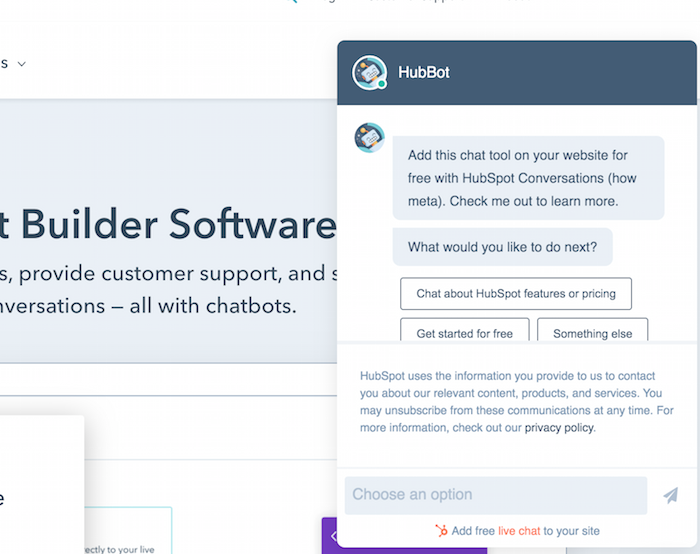
Filed Under: news

Why Clickbait Works (And Why You Should Do More of It)

By Peter

Clickbait has gotten a bad rap in recent years.

In the age of misinformation, people are hesitant to make sensationalist claims—and rightfully so.

When done right, though, clickbait is one of the most effective ways to get people’s attention and drive traffic towards your content.

What’s important is once you get them to your site, you offer more than just a catchy headline.

In this post, we’ll explain why clickbait works, how to do it ethically, and why you should be using more of it.

What Is Clickbait?

Clickbait is any content written to attract clicks. It can include any web content, from news articles to blog posts, infographics, videos, interviews, and more. 

Clickbait content usually contains:

  • a catchy or compelling headline
  • a strong appeal to emotion
  • scannable content optimized for web reading
  • witty copy
  • content aimed at social media sharing

Although widely attributed to online media, this type of content has been around since the dawn of print journalism. In the 19th century, when newspapers were fighting for circulation numbers, they found the best way to attract new visitors was using catchy headlines to entice readers. 

Here’s an example from a 1913 version of New York World, a newspaper run by the infamous Joseph Pulitzer. As you can see, every headline is attention-grabbing, emotional, and aimed at hooking a read at first glance.

What Is Clickbait - Example of New York World from 1913

Fast forward to the 21st century, and catchy newspaper headlines have transformed into catchy blog titles. 

With the introduction of SEO, and more brands wanting to increase traffic to their websites, clickbait titles had a mainstream resurgence. 

Brands such as Buzzfeed, Upworthy, and Gawker began publishing popular listicle content like: “27 Famous Actors Who Tricked You Into Thinking They're American” and “6 songs that seem romantic but aren't, and one that seems like it isn't but is.” This content was widely successful, primarily due to the popularity of social media and the virality of relatable content.

These days, it is used in almost every type of digital content, from “15 Marketing Tools You Need to Dominate Your Social Strategy” to “The Secret Behind My 1,866,913 Monthly Search Visitors.” 

Types of Clickbait

Clickbait content can be anything, from blogs to videos, news articles, ads, and beyond.

The most common types include listicles, how-tos, and blog posts that capitalize on trending topics.

Here are a few examples of common headings:

  • “The Ultimate Guide to _____”
  • “X Ways to Improve Your _____”
  • “A List of the Best _____ in L.A.”
  • “The Secret to ______ That Will Change Your Life Forever”
  • “Why We Love _____ and Why You Will, Too”
  • “You’ll Never Guess What _____ Did Last Night”

Clickbait headlines can also be used on video platforms like YouTube. You’ll see an example of this below. 

Why Clickbait Works

Clickbait often gets a bad rap online, mostly due to allegations about misleading content.

That being said, there are so many ways to leverage it ethically without misleading your readers.

It works because of its ability to tap into genuine human emotion and curiosity. 

Everyone wants to know the secret to get more followers, just like everyone wants to know what weird things happen on movie sets.

This is called the curiosity gap and it is the psychological feeling of wanting to know more.

Most clickbait titles are structured to make the reader think they will learn something new by clicking on the link.

The important ethical note is to offer real value within your article, not simply using a misleading headline to get page traffic.

Clickbait is also an important part of measuring online success.

If no one clicks on your blog, then you lose the opportunity to talk to thousands of potential customers.

If you want to expand your reach, then you want more clicks. If you want more clicks, you need to build a strategy to get them.

That being said, you don’t need to resort to sensationalism to do this.

Instead, think about the goals of your audience. Our blog, for example, teaches readers about digital marketing techniques. While we may use catchy headlines, such as “The 10 Ingredients of Great Content Writing” or “19 Strategies That’ll Help You Become an Influencer,” we offer actionable information within those blogs that help our readers achieve their goals.

When using clickbait strategies, focus on your customer pain points and create content that will educate and excite them.

If your headline matches your content, you can avoid audience backlash.

Clickbait Strategies to Avoid

While clickbait can be a successful digital marketing strategy, it can also hurt your brand if done wrong.

Many social media sites and search engines have added rules to their policies to discourage the use of sensationalist or misleading content.

Google’s policy prohibits “Ads that use clickbait tactics or sensationalist text or imagery to drive traffic.” This can include:

  • Ads that claim to reveal secrets or other sensationalist information.
  • Ads that use wording such as, “Click here to learn more …” or, “You won’t believe what happened next …”
  • Ads that use altered images or disaster photos.
  • Ads that use “before and after” photos showcasing significant changes in the human body.
  • Ads that use negative events, such as death, illness, or disaster, to evoke action in viewers.

On Facebook, clickbait articles will show up lower in News Feeds and repeated sharing can result in page restrictions. 

It’s also important to avoid misleading clickbait on your website, as it can damage trust in your brand.

Ultimately, success comes down to two things:

  1. Write compelling, honest, engaging headlines.
  2. Don’t disappoint your readers once they click on them.

Tips to Use Clickbait in Your Content Marketing Strategy

Now that you know how to use clickbait ethically, it’s time to implement these strategies into your content marketing. 

Here’s how to get started:

  1. Utilize the curiosity gap, but don’t exploit it. Avoid sensationalist material and inaccurate claims. 
  2. Deliver on any promises you make. Your audience expects the information you promise to them. If they consistently feel they can’t trust your claims, they won’t continue interacting with your brand.
  3. Be honest with your readers and avoid misinformation. Be a beacon of honesty. According to Edleman,  53 percent of consumers need to trust brands they purchase from. If you remain truthful with your viewers, you’ll have a better chance of converting them.
  4. Use numbers in your headlines. Numbers represent actionable steps users can use to reach their goals. Numbered lists also improve scanability and make it easier for readers to digest content.
  5. Pay attention to your data. When using clickbait headlines, measure them against other headlines and see which perform better. Like anything in marketing, the numbers don’t lie. There’s no point investing in a tactic if it doesn’t work for your audience.
  6. Write for more than clicks. A headline is just the beginning. What really matters is the quality of your content as a whole. While a witty headline may bring them to your page, your content will make them stay—so don’t neglect the rest. 

Examples of Great Clickbait Strategies

Now that you know what not to do, let’s take a look at some clickbait strategies done right.

When Shopify and Google teamed up to promote Shopify Premium plans, they knew the best way to get people interested was to offer them something in return.

Using their media leverage, they featured their offer in the Daily Mail, offering a free Google smart speaker to anyone who signed up for Premium.

Everyone loves the word FREE!

Examples of Great Clickbait Strategies - Spotify

Smartwatch brand Blocks also leveraged clickbait headlines in its Kickstarter campaign.

By using numbers, Blocks displays the high worth of its product, public trust in the campaign, and scarcity. 

Not only will users who read this headline trust a large community supports Blocks, but they will also feel motivated to act immediately before the campaign ends.

Examples of Great Clickbait Strategies - Blocks

Another great example of clickbait in ads comes from One Smart Penny, a financial advice blog.

In their ad, they use the curiosity gap, by alluding to a secret you’ll only find out if you read the blog. They also leverage the power of celebrity with a feature by Barbara Corcoran, which brings an element of social proof to the ad.  

Examples of Great Clickbait Strategies - One Smart Penny

How to Create a Clickbait Headline

Ready to start writing your own? Follow these steps to write a great headline that drives clicks.  

1. Use Google Alerts to Find Out What’s Trending

Leveraging popular trends and news is a great way to engage your users.

By setting up Google Alerts for trending or viral topics, you can stay ahead of your competition and be the first to break the news to your audience.

Pair your trending headlines with relevant keywords to boost your SEO.

How to Create a Clickbait Headline - Use Google Alerts

2. Use Numbers or Listicle Format

Numbers are a time-honored blogging trend that increases reader engagement.

Numbers in blog titles are effective because they show your readers there will be actionable steps to follow and the content will be easy to scan.

Because online users are looking for quick, efficient information, they prefer content they can easily access and ingest.

Numbers also imply the presence of a listicle, which are often the most shared blog types on the internet.

How to Create a Clickbait Headline - Use Numbers or Listicle Format

3. Offer Immediate Value to Your Reader

Offering immediate value is a great way to encourage clicks on your post.

You can offer physical value through discounts, free products, consultation services, and more. Or, you can offer something less tangible, such as a secret or an industry trick.

When using this clickbait strategy, be sure to follow through with your promise in your post.

No one wants a misleading headline, and if you don’t seem trustworthy, you’ll lose your audience's attention.

4. Use a Teaser

One of the best clickbait strategies is to use a teaser in your headline.

By suggesting the reader will find something they don’t already know in your post, you’re leveraging the curiosity gap and creating immediate engagement.

A teaser can be a number of things, from “The X things you wish you knew…” or, “You’ll never guess what ____ did in Paris”. 

As we said before, be sure to follow through with your teaser in the body of your post to avoid annoying your audience. 

How to Create a Clickbait Headline - Use a Teaser

Clickbait FAQs

Is clickbait good or bad?

Neither. It is a powerful marketing strategy if used correctly. There’s nothing wrong with encouraging clicks on your post, as long as you’re offering value to your audience that goes beyond the headline. 

What is the goal of clickbait?

The goal is to grab a user’s attention and encourage clicks on your content. 

Does clickbait still work?

Yes, though it is different now. Because of the prevalence of misinformation online, many entities now have regulations in place to discourage misuse of clickbait headlines. Yet there are still ethical and productive ways to use this tactic.

How does clickbait affect us?

It works in our curiosity gap and piques our interest in topics or news. 

Why Clickbait Still Works Conclusion

Although it often gets bad press, clickbait is an important marketing strategy that can help improve traffic to your content or website.

When using this strategy, it’s important to be ethical and not mislead your users or capitalize on negative content just to boost your views.

If you believe in your content and think it will benefit your users, then there’s no reason to feel bad about crafting enticing titles.

What is your favorite kind of clickbait headline?

————————————————————————————————————————————–

By: Neil Patel
Title: Why Clickbait Works (And Why You Should Do More of It)
Sourced From: neilpatel.com/blog/why-clickbait-works/
Published Date: Wed, 23 Jun 2021 14:01:00 +0000
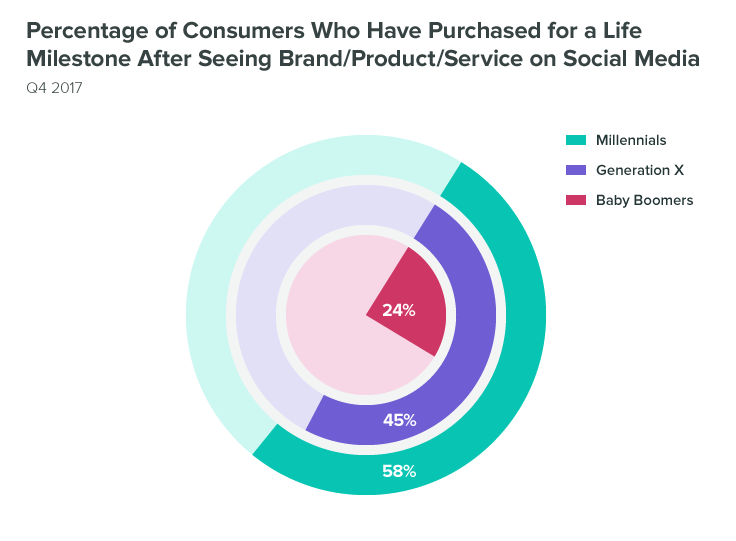
Filed Under: news

« Previous Page
Next Page »
FOOTER 2

About · Contact · Disclaimer · Privacy · Terms of Use
Copyright © 2026 · Internet Secrets