
Ensuring the perfect staffing levels can make or break your business's daily rhythm. From cozy cafes to sprawling enterprises, getting the scheduling right is the secret ingredient.
Integrating employee scheduling software into your workflow is like having a supercharged personal assistant for your scheduling needs. The beauty lies in the simplicity of creating, updating, and tweaking schedules at the drop of a hat to keep your staffing optimized.
Let's dive into a world of top-tier employee scheduling software options that are designed to cater to a myriad of business needs, making your life easier.
#1 – Homebase Review — Tailored for Small Businesses
The Small Business Gem: Homebase
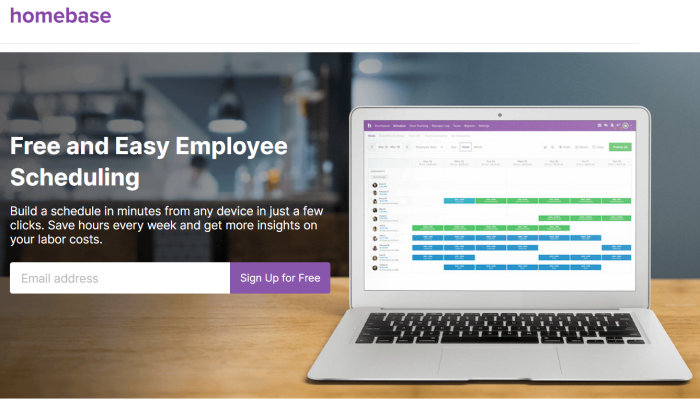
Homebase is the Swiss Army knife of scheduling tools for small businesses, offering versatility that fits snugly into various industries, from retail to restaurants.
With a whopping 100,000 businesses already on board, Homebase flaunts a freemium model. You get the basics for free, but the real magic comes with the paid plans offering advanced features.
- Simple scheduling templates
- Real-time updates
- Labor cost forecasting
- Mobile accessibility
- Shift trading
#2 – Sage HR Review — Comprehensive HR Solution
All-in-One HR Powerhouse: Sage HR
Sage HR, the artist formerly known as CakeHR, is your go-to for a complete HR software suite, complete with robust shift scheduling tools.

Designed to whisk away your HR woes, Sage HR boasts interactive shift planning, multi-site compatibility, a range of reporting options, and nifty employee self-service tools.
#3 – Deputy Review — Ideal for Time and Attendance Management
Effortless Timekeeping: Deputy
Deputy is the scheduling maestro trusted by global brands for its feature-rich solutions at transparent pricing.
From open shift filling to AI-based auto-scheduling, Deputy has all the bells and whistles for seamless scheduling and time tracking management.
#4 – ShiftNote Review — Streamlined Scheduling Software
Simplicity at its Best: ShiftNote
ShiftNote's charm lies in its simplicity, serving over 75,000 users across diverse industries with tailored solutions.
While it may not have all the fancy HR features, ShiftNote excels in rapid scheduling and boosting communication efficiency.
#5 – Shiftboard Review — Optimal Labor Cost Management
Cost-Effective Workforce Management: Shiftboard
Shiftboard is your knight in shining armor for hourly employee scheduling, offering tools for cost management, compliance, and personalized scheduling options.
Real-time communication, labor forecasting, and scheduling automation are just a few gems from Shiftboard's treasure trove.
#6 – HotSchedules by Fourth — Leading Labor Management System for Hospitality
Hospitality Hero: HotSchedules by Fourth
HotSchedules is the ultimate workforce management solution tailored for the restaurant and hospitality realm, featuring a suite of tools beyond scheduling.
With a user-friendly interface and tailored features, HotSchedules is a game-changer for businesses in the hospitality sector.
Key Elements in Choosing Employee Scheduling Software
1. Employee Count and Site Distribution
Scale up your software to match your workforce size and locations.
2. Time Tracking Integration
Seamlessly blend scheduling and time tracking for smoother operations.
3. Accessibility and Mobility
Opt for mobile-friendly solutions for easy access on the go.

4. Industry-Specific Features
Look for tools that cater to your industry's unique scheduling needs.
5. Additional Features
Explore extras like shift swapping and HR tools based on your business's needs.
In Summary
Choosing the right employee scheduling software is like finding the missing piece of your business puzzle. With options like Homebase, Sage HR, Deputy, ShiftNote, Shiftboard, and HotSchedules, you can streamline operations effortlessly.
By keeping these essential factors in mind while choosing your software, you're on the path to efficient operations and improved workforce management. Happy scheduling!
Frequently Asked Questions
What are some examples for indirect marketing?
Think of ways you could use indirect marketing techniques to promote your business. One example is a social media campaign that encourages people to upload pictures of their products. This would spread awareness about your brand.
Advertisements in local newspapers could be used to encourage readers to visit your auto repair shop rather than other shops.
Another example is to send coupons to customers via e-mail or place ads on bulletin boards at public locations.
Indirect marketing works well because it doesn't cost much money.
You will need patience to promote your business. It takes time for people to trust you.
You also need to keep track of how effective your campaigns are. It is worth measuring how many leads are generated from each method.
This will allow you to see which methods are most effective for your business.
What are 3 examples for internet marketing?
Internet Marketing refers to all online activities that promote products or services. Internet marketing can include email marketing, social media marketing and search engine optimization (SEO), as well as pay-per-click marketing (PPC) and website design.
It's important to note that these terms do not necessarily mean you'll have to spend money to make money. There are many methods to generate income, and you don't have to spend any cash. You will get a better return on investment if you put more money into each method.
Email marketing is the most popular form of internet marketing. This involves sending out emails to potential customers, informing them about your business and its latest offers.
Another popular way of advertising is through Social Media Marketing. Users can share information with their friends and family on social media sites like Facebook, Twitter, or LinkedIn. These sites provide businesses an excellent way to communicate with their clients, increase awareness and build trust in their products or service.
Search Engine Optimization (SEO) is a technique used to improve the visibility of websites within major search engines. Webmasters can boost their website traffic by increasing the number and quality of backlinks.
Website Design is the art of designing a website that looks attractive and functions well. Website designers determine the style and layout of a website. Website designers also make sure the website conforms to technical specifications and meets accessibility standards.
Advertising called Pay Per Click (PPC) allows advertisers to bid on keywords relevant their products and/or services. Advertisers get paid when someone clicks on an ad. PPC ads appear on search results pages at the top or bottom.
Social Media Marketing is a great way to promote your business online. It's a great way to build brand awareness and generate leads. Here are five methods to leverage social media marketing to increase your business.
- You can create a Facebook Fan page to allow you to interact with customers directly on Facebook. You can upload photos, videos and other files.
- Twitter Promote Your Business – Twitter offers a great way to share information and connect people. Use hashtags to increase visibility.
- Post Videos on YouTube – Uploading videos is very popular because many people enjoy watching them. If they like what is shown, they may click to visit you website.
- Host Live Event – Hosting live events will allow you to meet face to face with potential clients. They can ask questions about your products and services.
- React to Customer Review – Positive reviews will build trust between you and your clients, which in turn will encourage repeat purchases. Negative comments should be addressed quickly.
Statistics
- From 2020 to 2022, eMarketer predicts that digital marketing will grow by 36% and take up 54% of marketing budgets! (marketinginsidergroup.com)
- 81% of brands employ affiliate marketing, and eCommerce sites are particularly good candidates. (blog.hubspot.com)
- According to statistics, 60% of online shoppers worldwide actively search for coupons before purchasing from a virtual shop. (influencermarketinghub.com)
- Companies that use personalization are seeing revenue increases ranging from 6-10%. (blog.hubspot.com)
- Meanwhile, a PartnerPath poll found that co-marketed ads help 68% of consumers arrive at a buying decision before even speaking to a salesperson. (influencermarketinghub.com)
External Links
influencermarketinghub.com
blog.hubspot.com
moz.com
- SEO Learning Center – Moz
- [Case study] How we ranked #1 in a high-volume keyword in under 3 months – Moz
youtube.com
How To
What is your marketing strategy?
Have you ever heard the expression “If you build it they will come”?
Well, you're wrong.
While it takes hard work to build something, it isn't enough to attract customers. Internet Marketing Principles can help you reach your target market to grow your business.
Internet Marketing Principles are guidelines that marketers use to create websites, blogs and email campaigns that generate leads or sales.
This is an example of how to market handmade jewelry online.
Here are some examples.
- Content is king. You need to create compelling content. Copying content from another source will make you less credible as an information source.
- Trust builds trust. People prefer recommendations from friends and relatives to Adsense. Be sure to trust your friends and family when you recommend a product.
- Personalize – People prefer to speak to people, not robots. You want your website to look real and not robotic.
- Value – People are more likely to give away their stuff if it's something they value. You can give them something in exchange for your contact information.
- Storytelling is a powerful tool for connecting with your audience. They can help you tell your story, and connect with your audiences.
- Giveaways – Give things away to spread brand awareness and build loyalty.
- Use of call-to actions buttons is crucial because they prompt users into taking action.
- You must test everything before your website goes live.
- Keep it simple – Simple is often better than complex. It is best to keep things simple when possible. The simpler your website, the easier it will be to maintain and update.
- Clear goals are easier to measure.
- Measure everything – It's crucial to measure your progress towards your marketing goals.
- Focus on conversion. Conversion is turning visitors into buyers.
- Get feedback. It will allow you to improve your marketing efforts.
- Track results – You can track your results and identify areas you could improve.
- Repeat – repetition creates momentum
- Optimize your marketing efforts – Optimization will ensure that your marketing efforts work effectively.
- You must be consistent. Your brand will always be remembered.
- Reward yourself. Rewards will motivate you.
- Learn from others. This is one of the best methods to avoid making the same mistakes again.
- Never stop learning.
- To achieve sustainable growth, think long-term.
- Trust your intuition – Sometimes your intuition is the best tool to help you navigate your way through life.
- Every day should be treated as a test. Mistakes are inevitable, but they teach us lessons we wouldn't otherwise learn.
- Learn to understand your weaknesses. Understanding your strengths will give you an insight into how you can overcome obstacles.
- Do not let failure discourage you – Everybody fails at least once. But don't let failure discourage you. Try again.
- Take risks – Taking risks is sometimes necessary to move forward.
- Enjoy the journey. To live a happy life, it is important to enjoy the journey.
- Be passionate – Passion fuels motivation.
- Be who you really are. It is essential to build relationships.
- Know thyself – Self-knowledge is essential to self-improvement.
- Find your tribe – It is important to find a supportive group of people who are like-minded.
- You can create a visionboard – Vision boards are great for visualizing the future.
- Ask questions. Questions open the door to knowledge.
————————————————————————————————————————————–
By: 2877
Title: Revolutionizing Staff Scheduling for Seamless Operations
Sourced From: internetlib.org/optimal-staff-scheduling-solutions/
Published Date: 2/25/2026 4:00:07 PM